
By Shamayun Chowdhury, Senior Accountant, Major Accountancy · Published: 31 October 2026 · Last reviewed: October 2026 · Applies to Making Tax Digital for VAT in 2026/27
Plenty of business owners sign in to HMRC, find their VAT account, and then look for a button to send the return. It is not there. Others have filed through software for years until, one quarter, the submission is rejected with a vague “not authorised” message days before the deadline.
Both problems come from the same place: the link between your VAT account login and your MTD software. This guide explains what the account can and cannot do, how the software connection works, the errors that stop a return, and how to keep everything connected so you never miss a deadline.
- Have your VAT registration number (VRN) and Government Gateway user ID to hand.
- Know which accounting or bridging software you file with.
- Make sure you have access to the phone or app used for HMRC’s security codes.
VAT Account Login: What You Can and Can’t Do There
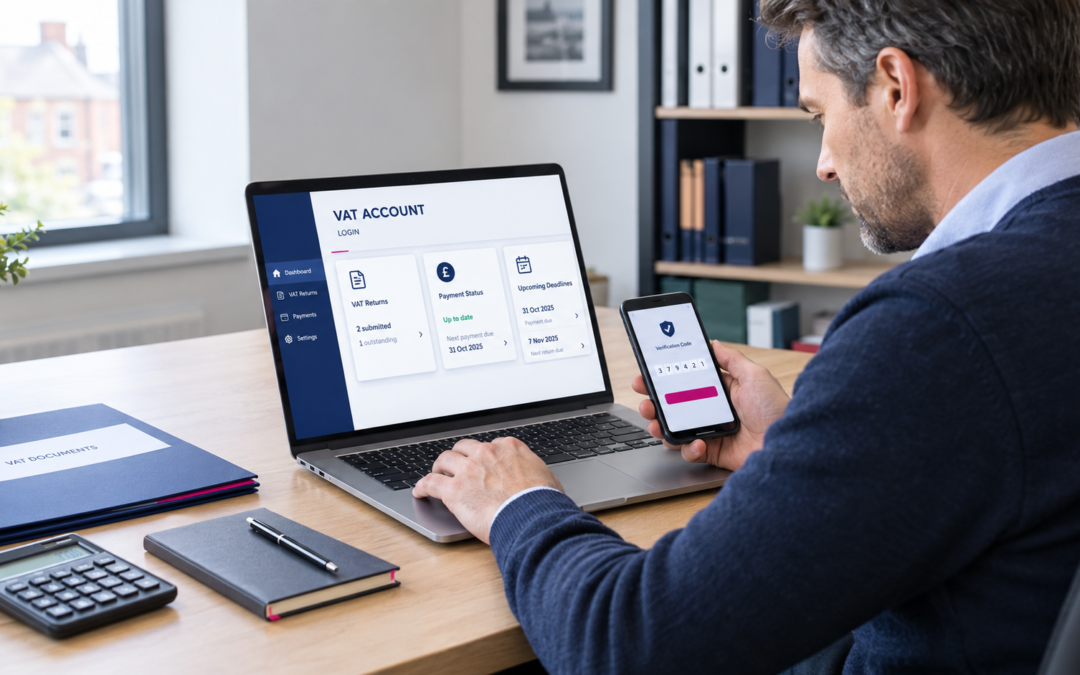
GOV.UK lists what the VAT online account is for, and states plainly: “You cannot use this service to submit a quarterly VAT return.” This applies to businesses required to file under MTD. HMRC provides separate arrangements for businesses that qualify for an exemption from MTD for VAT and for certain final returns after VAT deregistration. For a business filing under MTD, the table separates the two jobs.
| In your VAT account | In your MTD software |
|---|---|
| See when returns are due | Keep digital VAT records |
| Set up a Direct Debit | Prepare the nine-box return |
| View payments and what you owe | Submit the return to HMRC |
| Check and appeal penalties | See open VAT periods pulled from HMRC |
| Report business changes or cancel registration | Keep a submission receipt |
If you only need the basic sign-in steps, Eternity Accountants has a separate guide to HMRC VAT login. This guide picks up where sign-in ends.
VAT Account Login vs Business Tax Account vs MTD Software
People use “VAT account login” to mean three different things. Knowing which one you need saves a lot of clicking.
| Tool | What it is | Sends returns? |
|---|---|---|
| Business tax account | HMRC’s hub for all your business taxes, opened with your Gateway ID | No |
| VAT online account | The VAT section inside it: deadlines, payments, penalties, changes | No |
| MTD software | Your accounting or bridging software, linked to HMRC | Yes |
Note: This comparison applies to businesses required to file through MTD-compatible software. HMRC provides alternative filing arrangements for businesses that qualify for an MTD exemption and certain other circumstances.
Your Government Gateway credentials are used to access HMRC online services, but connecting your MTD software requires a separate authorisation step. Make sure you use the sign-in details linked to the correct VAT registration when granting software access.
Why Your VAT Return Is Filed Through Software, Not Your Account
Making Tax Digital for VAT requires VAT-registered businesses to keep digital records and send returns from compatible software, unless HMRC has granted an exemption. Returns are normally due one calendar month and seven days after the end of each period, as GOV.UK’s guide to sending a VAT Return explains.
GOV.UK’s agent guidance also confirms that all VAT-registered businesses are now signed up for MTD for VAT automatically, so there is nothing extra to join.
The software talks to HMRC directly, using the permission you give it through your VAT account login. That is why the return no longer lives inside your VAT account: the account is the window onto your record, and the software is the pen.
If you keep VAT records in a spreadsheet, you may be able to use bridging software to submit your return. You must still meet HMRC’s digital record-keeping and digital links requirements, so check that your chosen software and process are compatible with MTD for VAT. Our guide to Making Tax Digital for VAT covers the record-keeping rules in full.
Connecting MTD Software to Your VAT Account Login: Step by Step
Linking your software to your VAT account login takes a few minutes. HMRC calls this step “authorising” the software. The wording differs between products, but the route is the same.
- Open the VAT or MTD area of your software and choose Connect to HMRC (or Reconnect).
- Check the web address of the sign-in page that opens. It should be an HMRC page on gov.uk.
- Sign in with the Gateway ID that holds your VAT, not a new or unrelated one.
- Enter the security code sent to your phone or authenticator app.
- Grant authority so the software can read your VAT obligations and submit returns.
- Return to the software and confirm your open VAT periods now appear.
Which Government Gateway ID to use
Use the user ID your VAT registration sits under. Many small firms have more than one ID, perhaps one created for PAYE by a former bookkeeper and another for VAT. Connecting the wrong one is one of the most common causes of “credentials not recognised” errors.
If you have several Government Gateway user IDs, do not assume that the ID used for another HMRC service will automatically have access to your VAT registration. Check your VAT service access and follow HMRC’s instructions before authorising your software.
Do not create a fresh ID to get round the problem, because HMRC cannot see your VAT through it. If you are unsure which ID is right, sign in to your business tax account with each and check which one lists VAT.
The 18-month re-authorisation rule
The connection does not last forever. HMRC’s software guidance says the authority lasts for 18 months, and you can check or withdraw permissions at any time. ICAEW’s Tax Faculty adds that the software must be reauthorised when it lapses, and some providers ask sooner. It also warns that the error shown when the link lapses is not always clear, so a rejected return may not point to re-authorisation as the cause.
The connection she set up 18 months earlier has expired. She opens the software’s HMRC settings, chooses Reconnect, signs in with the Gateway ID that holds her VAT, enters the security code and grants authority. Her open period reappears and the return goes through the same morning. Had she left it until 8 August, the return would have been late and earned a penalty point.
VAT Account Login Problems That Stop Your Return
When a return fails, the problem is rarely the figures. It is usually the link between the software and your VAT account login. Error wording varies between software products, but most messages fall into these groups. Software provider TinyTax gives a useful breakdown of what “no VAT obligations found” and similar messages usually mean.
| Message you see | Usual cause | Fix |
|---|---|---|
| “Client or agent not authorised” | Link expired, or connected to the wrong ID | Reconnect using the Gateway ID that holds your VAT |
| “Credentials not recognised” | Wrong user ID, or one without VAT on it | Find the ID that lists VAT in your business tax account |
| “No VAT obligations found” | Connected, but no period open or a VRN problem | Check due dates in your VAT account; contact HMRC if none show |
| Period missing | Already filed, or not yet opened by HMRC | Compare with the return history in your VAT account |
| Security code not arriving | Old phone number on the Gateway account | Use a backup method or recover access through HMRC |
Seven Things That Break the HMRC Link
- The 18-month authorisation period runs out.
- Changes to your HMRC sign-in or security settings, after which you should check that your software authorisation is still working.
- Someone removes the software’s access in HMRC settings.
- The original connection used the wrong Gateway ID.
- The person who set it up leaves and nobody else has the login, a risk Scribe Accounts highlights in its guide to the 18-month rule.
- You switch software, so the new product needs its own authorisation.
- Your VAT registration changes, for example after a change of legal entity.
Letting Your Accountant File Without Sharing Your Login
You never need to share your VAT account login or hand over your Gateway password. An accountant files through their own agent services account. GOV.UK explains that the agent creates an authorisation request and sends you a link; you follow it before it expires to authorise them for MTD for VAT. From then on, they submit using their own credentials and software.
If you change accountant, the new firm sends a fresh request. Older authorisations cannot simply be copied across.
What a Missed Submission Costs
A broken connection does not move the deadline. Each late return, including a nil return, earns a penalty point. GOV.UK confirms that quarterly filers reach the penalty threshold at 4 points, after which a £200 penalty applies to that return and every later one.
Paying late is charged separately. HMRC explains how late payment penalties work, and Avask’s summary of the current rules sets out a 3% penalty on VAT still unpaid after 15 days, a further 3% after 30 days, and then a daily charge of 10% a year, plus late payment interest at base rate plus 4%. See our guide to paying a VAT bill to HMRC for payment methods and timings.
Stay Connected: A Simple Checklist
- Note the date you last authorised your software and set a reminder for 16 months later.
- Record which Gateway ID is your VAT account login, and keep it with your business records.
- Give more than one trusted person admin access to the business account.
- Add Gateway and software details to any staff handover checklist.
- Submit at least a week before the deadline to leave time for fixes.
Frequently Asked Questions
Can I submit a VAT return through my VAT account login?
Not if you file under MTD. GOV.UK says the VAT online account cannot be used to submit a quarterly return, so returns go through compatible software. Businesses with an MTD exemption follow separate arrangements.
Why does my software say I’m not authorised?
Usually because the HMRC link has expired or was set up with the wrong Gateway ID. Reconnect using the ID that holds your VAT.
How often do I need to re-authorise MTD software?
HMRC software authorisation for MTD for VAT lasts 18 months. You must renew it before it expires to keep your software connected. Your software provider may remind you when re-authorisation is due.
I’ve forgotten my VAT account login. What should I do?
Use the “forgotten your user ID or password” links on the HMRC sign-in page. Recover the existing ID rather than creating a new one, or your VAT will not show.
Which Government Gateway ID should I use for VAT?
The one your VAT registration is held under. Check by signing in to your business tax account and seeing which ID lists VAT.
Can MTDFix file my VAT return for me?
Yes. Once you authorise us as your agent, we prepare and submit returns through our own MTD software, so you do not need to manage the connection yourself.
Wrapping Up
A VAT account login is only half the picture: it is for checking and paying, while for most businesses the return itself goes through MTD software. Keep that software connected with the right Gateway ID, renew the link before 18 months are up, and file early enough to fix any error. Or hand the whole job to an accountant who files as your agent.