
Making Tax Digital Software Cost 2026/27: The Real Price Explained
Tax year: 2026/27 · Prices checked: 30 September 2026 · For: UK sole traders and landlords
Quick answer: expect to pay somewhere between nothing and roughly £23 a month for MTD software. Some business bank accounts come with a free licence, and a few providers run free tiers. The well-known paid products are advertised at about £7 to £19 a month, but that figure excludes VAT. Without a VAT registration you’ll pay 20% more, although the subscription is a business expense, so tax relief brings the true cost back down.
Plenty of sole traders sign up for a £7 plan and find they’re paying three times that a year later. Nothing sneaky has happened. The advertised rate simply left out VAT, a separate account for their rental income, and the jump to full price once the welcome discount ran out.
Below you’ll find the true price of MTD for Income Tax software this tax year, which free routes are worth considering and where they fall short, how HMRC itself sizes up the bill, and when paying an accountant works out cheaper than doing it yourself.
The essentials in five points
- HMRC hasn’t built its own MTD software and won’t. Every compliant product comes from a commercial supplier on HMRC’s recognised list, and a small number cost nothing.
- For one sole trader or landlord, mainstream paid plans are advertised at £7 to £19 a month before VAT. If you aren’t VAT-registered, add a fifth to each figure.
- Launch discounts are temporary. Plan your budget around the price that applies from the seventh month onwards.
- Report both trading and rental income? On some platforms that means paying for two accounts.
- The subscription counts as an allowable expense, which usually knocks between a quarter and two-fifths off what it really costs you.
What’s covered
- The four ways to comply, and what each costs
- Current prices from the main providers
- Hidden extras that inflate the bill
- Free software and spreadsheet bridging
- HMRC’s own estimate of the cost
- Tax relief on your subscription
- Worked example: a landlord who also runs a small business
- Doing it yourself versus using an accountant
- What late submissions will cost from April 2027
- Picking the cheapest setup that still complies
- Mistakes that make MTD more expensive
- FAQs
The four ways to comply, and what each costs
Most sole traders and landlords will spend between £0 and around £23 a month, VAT included, on MTD for Income Tax software. Four questions decide which end of that range you sit at. Does your bank give you a free licence? Are you VAT-registered? How many income sources do you report? And would you rather run the software yourself or have an accountant do it?
Rather than comparing brand names, it’s more useful to compare approaches. Any compliant arrangement fits one of these four.
Option 1 · Free software
£0
A licence bundled with your business bank account, or a provider’s free plan. Fine for straightforward records from a single source. The restrictions tend to show up in bank feeds, receipt scanning and support for additional income types.
Option 2 · Spreadsheet plus bridging software
roughly £20–£60 a year
You carry on with your own spreadsheet, and a small program sends the totals to HMRC. It’s the cheapest paid choice, but none of the bookkeeping is done for you.
Option 3 · Full accounting software
roughly £8–£23 a month including VAT
One app pulls in bank transactions, stores receipts and files your quarterly updates. You still sort the transactions and press submit.
Option 4 · An accountant runs it
a fixed monthly fee
An agent maintains or checks your records and handles every submission. Some firms build the software licence into their fee and some bill it on top, so ask which applies.
Paper costs and real costs aren’t always the same. A free app you stop using by autumn, or a spreadsheet you only open the week before a deadline, can end up costing more in time and worry than a paid product you use every month.
Current prices from the main providers (checked 30 September 2026)
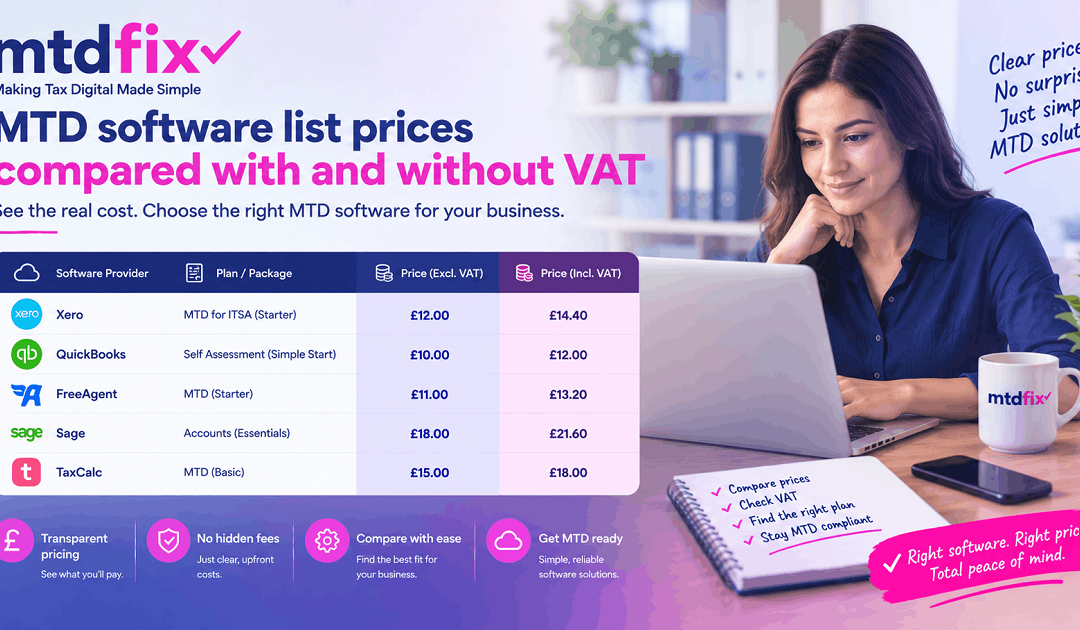
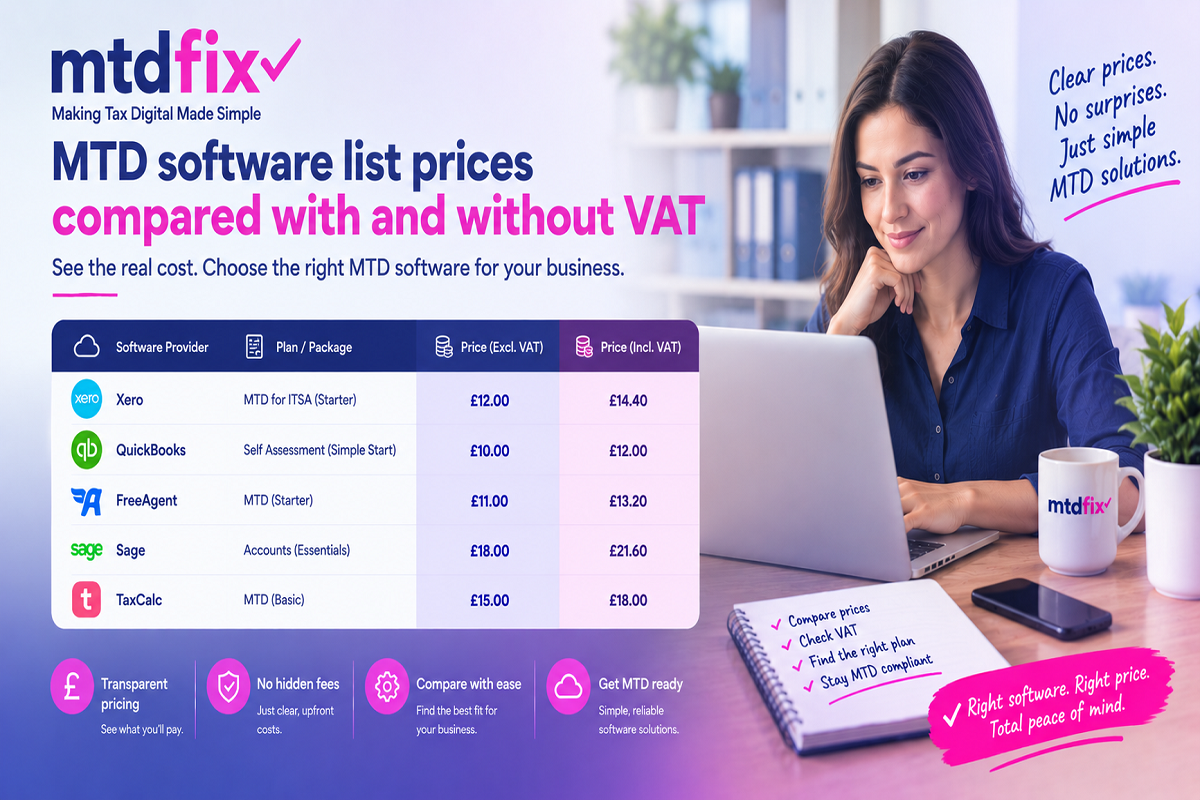
The best-known recognised products are advertised at between £7 and £19 a month before VAT for a sole trader. Plans aimed only at landlords sit towards the bottom of that range. The table below sets each list price next to what you’d actually hand over without a VAT registration, and flags the features that shift the real cost.
| Plan | Advertised price (ex VAT) | Cost without VAT registration | Files VAT returns? | New-customer offer |
|---|---|---|---|---|
| Xero Simple | £7/month | £8.40/month | No | 90% off for 6 months |
| Xero Ignite | £18/month | £21.60/month | Yes | 90% off for 6 months |
| QuickBooks Sole Trader Plus | £10/month | £12/month | No | Changes regularly — check when signing up |
| FreeAgent sole trader | £19/month | £22.80/month | Yes | 50% off for 6 months |
| FreeAgent landlord | £10/month | £12/month | Yes | 50% off for 6 months |
| FreeAgent through NatWest, RBS, Ulster Bank or Mettle | £0 | £0 (optional extras charged) | Yes | Free for as long as you hold the account |
Figures are each provider’s published list price on 30 September 2026 and are updated often. The middle column adds 20% VAT. Products appear here only to illustrate cost; none is being recommended.
Two things jump out. Neither Xero’s nor QuickBooks’ cheapest plan can submit a VAT return, so if you’re VAT-registered you’ll need something higher up the range, such as Xero Ignite. And FreeAgent charges for sole-trader and landlord accounts separately, which becomes relevant as soon as you have both kinds of income. More on that shortly.
Practical tip: judge each plan by what you’ll be paying in its seventh month. Nearly every big provider opens with a heavy discount, and once it ends the standard charge starts automatically unless you cancel or move.
Hidden extras that inflate the bill
The monthly figure in the advert doesn’t include VAT, a second account, the end of the discount, bolt-on features or the upheaval of changing provider. Budgets for MTD usually go wrong in one of these five places.
1. VAT you can’t claim back
Suppliers tend to show prices without VAT because many of their customers can recover it. The majority of sole traders and landlords coming into MTD aren’t registered for VAT, so they pay the higher, VAT-inclusive amount. That £10 plan costs £12.
2. A second account for a second income source
Trading income and rental income each need their own quarterly update. Whether they also need their own subscription is down to the provider. According to Xero, a single organisation can handle both. FreeAgent sells the two as separate plans, and its free bank-linked licence gives you one account per eligible bank account.
| Trading and rental income, no free bank licence | Per month (inc. VAT) | Per year (inc. VAT) |
|---|---|---|
| A single Xero Simple organisation for both | £8.40 | £100.80 |
| FreeAgent sole-trader plan plus landlord plan | £34.80 | £417.60 |
Standard prices after any launch offer, as at 30 September 2026, with 20% VAT added. The products don’t offer identical features, so lower cost doesn’t automatically mean better value.
3. The drop-off after the launch offer
Money off for the first six months, often between 50% and 90%, is now normal. You genuinely save, but it makes the first year look much cheaper than the ones that follow.
| Plan (monthly billing, inc. VAT) | First year | Each year after |
|---|---|---|
| Xero Simple (90% off for six months) | £55.44 | £100.80 |
| FreeAgent sole trader (50% off for six months) | £205.20 | £273.60 |
4. Bolt-ons and usage caps
The most useful time-saving features are often rationed on cheaper plans. Xero Ignite, for instance, limits you to 20 invoices a month and charges £3.50 a month extra for automatic reconciliation. FreeAgent lets you scan 10 receipts or bills a month and charges £5 a month for unlimited scanning. If you work in construction, check whether CIS returns cost extra, as they do on some platforms.
5. Changing provider during the year
Moving software mid-year means transferring that year’s records, reconnecting your bank and confirming the new system can carry on seamlessly before the next update is due. A saving of a few pounds a month is easily wiped out by the hours involved. Pick something you’ll be happy with next year as well as this one.
Free software and spreadsheet bridging
Free MTD software that HMRC recognises does exist, but it’s made by private companies rather than HMRC. HMRC has said it won’t produce a product of its own, that a free product may be enough for very simple businesses, and that it intends to keep developers supplying free and low-cost options.
There are three usual routes to a free product:
- Through your business bank. FreeAgent costs nothing for anyone holding a business account with NatWest, Royal Bank of Scotland or Ulster Bank while they keep the account; Mettle customers qualify if they make at least one transaction a month. A few app-based business banks have MTD filing built straight into their accounts.
- A free-for-life plan. Some suppliers offer a no-cost tier with caps on transactions, turnover or features.
- A trial period. Handy for trying a product out, but the charges begin once it finishes, so it isn’t really free.
Free software tends to work for people with a single income source, a manageable number of transactions and the habit of updating records regularly. It starts to struggle when you need the things free plans usually restrict: unlimited receipt scanning, automatic bank matching, a second type of income, or a login for your accountant. Changing bank just to get free software may not be worth it if your current account serves the business better in other respects.
Keeping your spreadsheet: what bridging software costs
At around £20 to £60 a year, bridging software is the least expensive paid option. It picks up the figures from your Excel or Google Sheets workbook and sends them to HMRC, so your routine barely changes.
There’s a catch. Your figures must pass electronically from the spreadsheet into the bridging program. Keying them in by hand, or pasting them across, means the chain of digital records is broken — and HMRC treats that as non-compliant. Bridging tools also don’t sort your transactions or connect to your bank, so the bookkeeping remains your job. They work well for people who already keep tidy spreadsheets and poorly for anyone hoping the software will take the work off their hands.
HMRC’s own estimate of the cost
Taking HMRC’s latest impact assessment and dividing its totals by the number of people affected gives an average one-off cost of about £392 and an ongoing cost of about £107 a year per person. Few cost guides have yet run that sum on the current figures.
The March 2026 tax information and impact note deals with the plan to bring people with qualifying income over £20,000 into MTD from April 2028. Its estimates are:
| HMRC figure (March 2026) | Total | Average per person (our calculation) |
|---|---|---|
| People brought in | around 970,000 | — |
| One-off transition costs | £380 million | about £392 |
| Ongoing costs per year | £104 million | about £107 |
| Net ongoing costs per year, after savings | £101 million | about £104 |
Our analysis: the per-person amounts are straight averages across everyone affected, rounded to the nearest pound. HMRC doesn’t publish per-person figures itself.
Keep three points in mind when reading these numbers.
- They’re averaged across the whole group, including people already using software who’ll pay very little more. Someone switching from paper records should expect a first year above the average.
- The one-off figure isn’t only software. HMRC also counts time spent getting to grips with the rules, training, extra accountancy fees and, in a small number of cases, new equipment.
- HMRC expects agents to charge more where they file quarterly updates for clients, while predicting that a large share of this lower-earning group will send their updates without help.
HMRC’s older estimates, which still appear on many websites, were roughly £280 to £350 up front and £110 to £115 a year. Because the newer note deals with a different income band, the two sets can’t be compared directly. The overall picture is similar, though: a few hundred pounds to get started, then about £100 a year. HMRC also confirms that transition costs can be deducted from business profits, which is where the net cost begins to fall.
What this means in practice: in HMRC’s cost model, time usually outweighs software. An app that costs nothing but eats two evenings every quarter is being paid for in hours you could have spent earning or doing something else.
Tax relief on your subscription
Software you buy for your business or your lettings counts as an allowable expense, so it’s deducted before your tax is worked out. For a basic-rate sole trader, every £1 spent effectively costs around 74p; for a higher-rate landlord it’s about 60p. HMRC’s impact note says the same about the one-off expense of getting set up for MTD: it can be offset against business profits.
Two factors govern the saving: your top rate of tax, and whether the income comes from trading or from property. The second is often overlooked. Trading profits carry Class 4 National Insurance, charged at 6% between £12,570 and £50,270 and 2% above that for 2026/27. Rental profits don’t. So a sole trader gets more relief on the same software than a landlord in the same tax band.
| Your position (2026/27, England, Wales and Northern Ireland) | Total relief rate | Cost of a £100.80 plan after relief | Cost of a £273.60 plan after relief |
|---|---|---|---|
| Sole trader, basic rate | 26% (20% tax plus 6% Class 4) | £74.59 | £202.46 |
| Sole trader, higher rate | 42% (40% tax plus 2% Class 4) | £58.46 | £158.69 |
| Landlord, basic rate | 20% (Class 4 doesn’t apply to rent) | £80.64 | £218.88 |
| Landlord, higher rate | 40% | £60.48 | £164.16 |
Illustrative figures. The two columns use the full annual price, with VAT, of the Xero Simple plan (£100.80) and the FreeAgent sole-trader plan (£273.60) listed earlier. Assumes the whole cost falls in a single tax band and that you have enough taxable profit to absorb the relief. Rates differ in Scotland.
You’ll get less relief, or none, in three situations:
- Your profit is under your Personal Allowance. With no tax to cut, the deduction has no effect that year.
- You claim the £1,000 trading or property allowance rather than your actual expenses. The allowance replaces expense claims, so the software can’t be deducted as well.
- Part of the subscription is for private use. Only the business proportion is allowable.
VAT-registered businesses can normally reclaim the VAT on the subscription too, so their starting figure is the list price before VAT, and tax relief is then applied to that.
Worked example: a landlord who also runs a small business
With two income sources, the route you choose can move the yearly software bill anywhere from about £40 to more than £400. Here’s how.
Illustrative example — the assumptions:
- Tom rents out a terraced house and a flat, collecting £19,500 a year in gross rent. He also runs a part-time photography business turning over £36,000.
- Adding gross rent to gross turnover, before any expenses, gives qualifying income of £55,500, so Tom has been within MTD since April 2026.
- He isn’t VAT-registered, and he doesn’t bank with NatWest, RBS, Ulster Bank or Mettle.
- Every quarter he has to file two updates: one for the photography business and one for his rental properties.
| Option | First year (inc. VAT) | Second year (inc. VAT) | Workload |
|---|---|---|---|
| A. Spreadsheet with bridging software | about £40 | about £40 | Tom: all the bookkeeping, eight updates and the year-end return |
| B. One Xero Simple organisation | £55.44 | £100.80 | Tom, with his bank feed entering the transactions |
| C. FreeAgent sole-trader and landlord plans | £313.20 | £417.60 | Tom, with bank feeds and profit tracked by property |
| D. Accountant-run service including software | Fixed fee | Fixed fee | The accountant maintains or checks the records and files every update |
Option A takes the middle of the usual bridging-software price range. For B and C we’ve used each provider’s published price on 30 September 2026, applying six months of launch discount to the first year. None of the figures include tax relief. Fees for option D depend on the firm and on how many income sources you have.
On cash alone, option A wins easily, but it puts the whole load on Tom: eight submissions a year, all from a spreadsheet he has to keep accurate. Option B automates much of the data entry for a small extra cost, as long as he’s happy to categorise transactions and file on time. Option C costs noticeably more but shows him how profitable each property is. Option D takes the software decision away altogether in exchange for one fixed fee; whether that’s worth it depends on what Tom’s time is worth and how sure he is of getting both income streams right.
People who combine rental income with a trade are the ones most affected by the need for a separate update for each source. Our page on MTD for landlords explains how rental income is reported.
Doing it yourself versus using an accountant
In pure cash terms, running the software yourself nearly always costs less. Once you count your own time and the price of errors, an accountant frequently comes out cheaper. Which is right for you depends on the number of income sources you have, how at home you are with accounting apps and what an hour of your time is worth.
| Consideration | Doing it yourself | Accountant handles MTD |
|---|---|---|
| Money out | £0 to around £420 a year, depending on the option | A fixed fee; check if software is included |
| Time you spend | Setting up, sorting transactions each month, four updates per income source, the year-end return | Mostly passing on receipts and answering the odd query |
| Risk of mistakes | Software checks the format, not the tax treatment | A person reviews the figures before they go to HMRC |
| More than one income source | You juggle separate updates, and perhaps separate subscriptions | Dealt with together as one job |
| Contact with HMRC | You | Your agent, acting on your authority |
| Works best for | One income source, simple records, comfortable with apps | Trading plus rental income, several properties, limited time, or a history of filing problems |
What this means in practice: filing software won’t object if a new laptop or van is logged as a repair. It checks that figures are in an acceptable format, not whether they’ve been treated correctly for tax. Recording a capital purchase as a repair can inflate one year’s expenses and mean you miss out on capital allowances. Catching that kind of slip is exactly what a quarterly review by a person is for.
A simple test: estimate the hours MTD will take you in a year, put a value on each hour, then add the software cost. If that total beats an accountant’s fixed fee, the do-it-yourself route isn’t actually saving you money.
Prefer to skip choosing, buying and learning software altogether?
At MTDFix, our HMRC-registered team maintains your books, files each quarterly update and completes your year-end return. The filing software is part of our fixed fee, and that fee is listed openly on our website. Let us know your approximate turnover and whether you receive rent, and we’ll confirm when your MTD obligations start and agree a fixed fee before any work begins.
What late submissions will cost from April 2027
For 2026/27, filing a quarterly update late carries no penalty. Once 6 April 2027 arrives, every missed deadline adds a penalty point to your record, and four points bring a £200 fine. That shift matters when you’re deciding between the cheapest setup and the one you’re most likely to keep on top of.
HMRC is giving everyone a “soft landing” in the first year. Late quarterly updates for 2026/27 don’t attract penalty points, but you can’t file your tax return until every update has gone in. Filing the tax return late does still cost you a point, and late-payment penalties haven’t been paused.
| Situation | 2026/27 | 2027/28 onwards |
|---|---|---|
| A quarterly update is late | No point awarded | A single point per late quarter, however many income sources are affected |
| Reaching the penalty threshold | Applies to the tax return only | £200 once you reach four points, and another £200 for each further miss |
| Tax is paid late | Percentage penalties from day 16, another from day 31, plus interest | The same approach, at higher percentages |
Based on HMRC’s MTD penalty guidance as it stood on 30 September 2026. Points expire after a period of meeting all your deadlines.
Put simply, a free setup that results in four missed quarters next year will cost £200 in penalties before you count the time spent catching up. The most dependable arrangement is usually the cheapest over time. And if you joined MTD in April 2026, your 2025/26 Self Assessment tax return is still due under the old rules by 31 January 2027.
Picking the cheapest setup that still complies
Pin down exactly what you’re required to do first, then compare only the products that meet those requirements, using their full price including VAT.
- Check if and when MTD applies. Add your gross trading turnover to your gross rental income, before deducting any expenses. Above £50,000 and you’re already in; above £30,000 and you start in April 2027. A further reduction to £20,000 is planned from April 2028.
- Count your income sources. Each business and your property income need a separate quarterly update.
- Look at your bank. You may already qualify for a free licence through your business account.
- Confirm your VAT position. If you’re VAT-registered, ignore any plan that can’t file VAT returns.
- Compare like for like. Use the post-discount price, with VAT, for every income source you need covered.
- Make sure the product is recognised by HMRC for MTD for Income Tax, using the software finder on GOV.UK.
- Weigh up your time. Estimate your hours, give them a value, add the software cost and compare the result with an accountant’s fixed fee.
Before you pay, tick off:
- ☐ I know my qualifying income and when MTD starts for me
- ☐ I know how many quarterly updates I’ll file each quarter
- ☐ I’ve checked whether my bank offers a free licence
- ☐ The plan can file VAT returns if I’ll need them
- ☐ I’ve costed the plan after the launch offer ends, VAT included
- ☐ One subscription covers every income source, or I’ve budgeted for two
- ☐ The product appears on HMRC’s recognised list
- ☐ I’ll record the subscription as a business expense
Mistakes that make MTD more expensive
- Choosing software because of the launch price, rather than the price you’ll pay from month seven.
- Overlooking VAT. Without a VAT registration, every advertised price is effectively 20% higher.
- Picking a starter plan with no VAT-return filing when you’re registered for VAT or about to cross the threshold.
- Assuming your rental income is covered, then finding it needs a subscription of its own.
- Retyping figures from a spreadsheet into bridging software, which breaks HMRC’s digital-link requirement.
- Paying for payroll, stock control or extra users that a one-person business won’t use.
- Jumping to a different product mid-year for a small monthly saving.
- Forgetting to claim the subscription as a business expense.
FAQs
Is MTD software free?
Some of it is. HMRC doesn’t offer its own software, but certain commercial products cost nothing — typically as a perk of a business bank account or as a stripped-back free plan. These generally suit simple records from one income source and may limit features like bank feeds and receipt scanning.
What does MTD cost each year overall?
Working from HMRC’s March 2026 impact assessment, the average person faces about £392 in set-up costs, then around £107 annually. Your own bill will vary with the product you pick, how many income streams you report and whether a professional is involved.
Can I claim MTD software against tax?
Yes. Because it’s an allowable business expense, it lowers the profit you’re taxed on. For a basic-rate sole trader the saving is roughly 26p per £1, thanks to Income Tax and Class 4 National Insurance together. A basic-rate landlord saves 20p, because Class 4 isn’t charged on rental profits.
Are MTD software prices shown with VAT?
Usually not. Most suppliers advertise prices before VAT. If you’re not VAT-registered, you’ll pay 20% on top with no way of reclaiming it, so a £10 plan really costs £12.
Will I need two subscriptions for self-employed and rental income?
That depends on the product. Some providers cover both types of income in a single account, while others charge for sole-trader and landlord plans separately. It’s worth checking before you commit, as it can more than double what you pay in a year.
Can I carry on using Excel?
Yes, provided you pair it with HMRC-recognised bridging software that reads your figures directly from the spreadsheet. The numbers have to travel electronically from sheet to software — any manual re-entry or copy-paste step makes the records non-compliant.
Is software included in an accountant’s MTD fee?
It varies. Some firms include MTD-recognised filing software in their fee, as MTDFix does, while others expect you to pay for your own subscription as well. Check this before comparing quotes, otherwise you may not be comparing like with like.
The takeaway
What you pay for MTD software comes down to far more than the headline price. Factor in VAT, any second income source, the end of launch discounts and the tax relief you’re entitled to, and most sole traders and landlords will spend anywhere from nothing to a few hundred pounds a year. Your next step is to work out your qualifying income and how many updates you’ll file, then price only the options that fit, at their full cost. Remember that from April 2027 late quarterly updates start earning penalty points, so the setup you’ll actually keep up to date is the one that saves you money.
The people behind this guide
Marina Jahan of Eternity Accountants wrote this guide. Shamayun Chowdhury reviewed it: he is CIMA qualified, Senior Accountant at Major Accountancy in Leicester, and a lecturer in accounting at Nottingham Trent University.
In more than 15 years of UK practice, Shamayun has worked with upwards of 500 businesses on Self Assessment, Corporation Tax, VAT and Making Tax Digital. See his LinkedIn and Facebook profiles.
Tax year: 2026/27 · Prices and rules checked: 30 September 2026 · MTDFix is part of Major Accountancy Limited. This is general information rather than personal tax advice. If you have several income sources or unusual circumstances, speak to an accountant.
Sources
- HMRC — Reduction of the MTD threshold from £30,000 to £20,000 (tax information and impact note, March 2026)
- GOV.UK — Choose the right software for Making Tax Digital for Income Tax
- GOV.UK — Penalties for Making Tax Digital for Income Tax
- GOV.UK — Self-employed National Insurance rates
- Xero UK pricing · FreeAgent pricing · QuickBooks UK pricing