
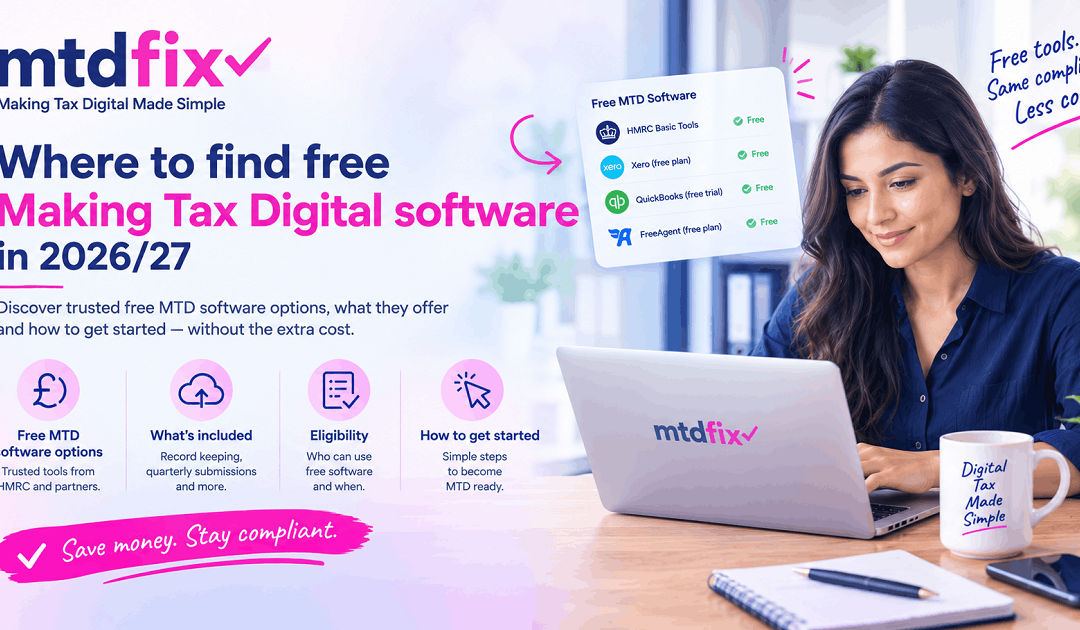
Making Tax Digital Software Free: Which Options Really Cost £0?
Tax year: 2026/27 · Product terms checked: 30 September 2026 · For: UK sole traders and landlords
In short: yes, you can meet Making Tax Digital for Income Tax without paying for software. HMRC doesn’t make its own, but several commercial products have a £0 version — some tied to a particular business bank, some offered as a permanent free plan. Nearly all of them come with conditions, so read the terms before you sign up.
The word “free” gets stretched a long way in MTD marketing. Some offers really are free for as long as you use them. Others are free only while you bank with a certain provider, free until you pass a transaction limit, or free for the first month and then quietly billed.
This guide separates the genuine £0 options from the rest. It covers which products currently offer a free version, what each one does and doesn’t include, how to spot the conditions attached, and how to tell whether free software will actually hold up for your mix of income.
Key points
- HMRC won’t give you software. Every compliant product, free or paid, comes from a private company on HMRC’s recognised list.
- Free options fall into three groups: licences bundled with a business bank account, permanent free plans, and free bridging tools for spreadsheet users.
- Conditions are the norm. Expect limits on transactions, income types, VAT or the bank you use.
- Trade plus rental income is where free plans most often fall short, so check that both are covered before committing.
- From April 2027, missed quarterly updates earn penalty points, so a free tool you can’t keep up with may end up costing money.
In this guide
- Is there free Making Tax Digital software?
- Does HMRC provide free MTD software?
- Free MTD software options compared
- Should you switch bank to get free software?
- The catch: seven things to check
- Free software for sole traders, landlords and mixed income
- Illustrative example: will a free plan’s limits fit?
- When free stops being the cheapest option
- Free software vs an accountant
- How to set up free MTD software
- Common mistakes with free MTD software
- FAQs
Is there free Making Tax Digital software?
There is, and it can be fully compliant. Free MTD software can keep your digital records, send your quarterly updates and, in many cases, file your end-of-year tax return — the three jobs HMRC expects software to do. The difference between free and paid products is rarely whether they comply. It’s how much work they save you and how many situations they can handle.
HMRC itself has said that free software may be enough for the simplest businesses, and that it will keep working with developers so free and low-cost choices stay available. That tells you who free products are really designed for: people with one or two straightforward income sources, a modest number of transactions and the discipline to keep records up to date.
If that sounds like you, a free product is a perfectly sensible choice. If your affairs are busier, it’s still worth starting with the free options — as long as you know where their limits sit.
Does HMRC provide free MTD software?
No. HMRC has confirmed it won’t build MTD for Income Tax software of its own. Unlike the old Self Assessment system, where you could file directly on HMRC’s website, quarterly updates must be sent through a third-party product that HMRC has recognised.
What HMRC does provide is a free way to find those products. Its online software finder, on GOV.UK, lets you either answer a few questions about your income sources or browse the full list and apply filters. According to the Low Incomes Tax Reform Group, the list can be filtered for whether software is paid or free, as well as for accessibility features.
To narrow the finder down to free products:
- Open HMRC’s “Find software for Making Tax Digital for Income Tax” page on GOV.UK and start the finder.
- Choose how to search. Answering the questions gives a personalised list based on whether you have self-employment, UK property or foreign property income. Browsing shows everything, with filters.
- Apply the free filter, then check each result covers every income type you have.
- Open the developer’s own website for each shortlisted product. HMRC’s listing tells you a free version exists, but each company sets its own definition of “free”, so the real limits are in the provider’s terms.
Expert insight: being on HMRC’s list only means a product can connect to HMRC’s systems. It isn’t an endorsement, and HMRC doesn’t check whether a free tier suits your circumstances. That part of the research is down to you.
Free MTD software options compared (checked 30 September 2026)
Seven products currently advertise a free route to MTD for Income Tax, and each one comes with a different set of strings. The table summarises what each provider says on its own website about who qualifies, which income is covered and where the limits lie.
| Product | How it’s free | Trading income | Property income | Year-end return | VAT | Main conditions |
|---|---|---|---|---|---|---|
| Tide | Built into Tide’s free business account | Yes | Yes | Yes | Not stated | You must bank with Tide; accountants can be added as users |
| Monzo | Included on every business plan, including the free Lite plan | Yes | Yes | Yes | Not stated | You must bank with Monzo; the MTD tool is for sole traders and landlords only |
| FreeAgent | Free with a NatWest, RBS or Ulster Bank business account, or Mettle | Yes | Yes (separate landlord account) | Yes | Yes | Free while you keep the bank account; Mettle users need at least one transaction a month; one free account per qualifying bank account |
| Zoho Books Free | Free plan, no bank requirement | Yes | Yes (property tracking) | Yes | Yes | Up to 1,000 invoices and 1,000 expenses a year; one user plus one accountant; 50 receipt scans a month |
| Clear Books | “Sole Trader Free” and “Property Free” plans | Yes (Sole Trader Free) | Yes (Property Free) | Yes | No — needs the £15-a-month Sole Trader Plus plan | No transaction limit stated; trade and property sit on separate plans; accountant can be invited |
| Sage Sole Trader Free | Free plan, no billing | Yes | Landlord income can be recorded | Not confirmed on Sage’s product pages | Aimed at non-VAT-registered sole traders | 25 auto-categorised transactions (Sage doesn’t say over what period); 5 invoices a month; one bank connection |
| My Tax Digital | Free software with a spreadsheet bridging mode | Yes | Yes (UK and foreign) | Yes | Yes | No published limits or paid tier; you prepare the figures yourself |
Based on each provider’s own website on 30 September 2026. “Not stated” means the provider’s pages didn’t confirm the point either way. Free terms change often and can be withdrawn, so confirm the current position before signing up. Listed for information only; none of these products is endorsed or ranked.
Free with a business bank account
Tide, Monzo and FreeAgent make up the bank-linked group. With Tide and Monzo, MTD filing is built into the banking app itself: your transactions are already there, so you categorise them, review the summary and send it. FreeAgent is a full accounting package that NatWest Group gives its business customers at no charge, with Mettle users qualifying as long as they make at least one transaction a month.
The appeal is obvious — the software sits right next to the money, so there’s very little to import. The trade-off is that your free software is only as secure as your banking relationship. Close or move the account, and you’ll need a new product.
Permanently free plans
Zoho Books, Clear Books and Sage each offer a free plan that doesn’t depend on who you bank with. They differ quite a lot in practice. Zoho’s free plan handles trading income, property income, the year-end return and MTD VAT, but caps you at 1,000 invoices and 1,000 expenses a year. Clear Books doesn’t publish a transaction limit on its free plans, but it splits trade and property into two separate plans and leaves VAT out altogether.
Sage’s free plan is the hardest to assess. It lists “25 auto-categorised transactions” but doesn’t say whether that’s per month or in total, and its product pages don’t confirm that the free version files the final return. If you’re considering it, ask Sage directly before relying on it.
Free bridging software if you keep a spreadsheet
My Tax Digital is the free choice for anyone who wants to stay with a spreadsheet. Its bridging mode imports your figures straight from the file and sends them to HMRC, and it supports both quarterly updates and the final declaration. It doesn’t publish any usage limits or a paid tier.
Bridging keeps your existing routine, but you’re still doing the bookkeeping. The spreadsheet must be accurate and the figures have to flow into the software electronically — re-keying totals by hand doesn’t satisfy HMRC’s digital-links rules. For what paid bridging tools cost by comparison, see our breakdown of full MTD software prices.
Should you switch bank to get free MTD software?
Only if the new account suits your business on its own merits. Three of the seven free options depend on where you bank, and moving your business account purely to save a software subscription can create more cost and disruption than it removes.
Before switching, weigh up what the move actually involves. Customers and tenants need your new payment details. Direct debits and standing orders have to be moved across. You may lose features you rely on, such as cash deposits at a branch or an overdraft facility, and the new provider’s own account fees may be different. Set against that, you gain software that sits inside your banking app and already has your transactions in it.
A simple way to decide:
- You already bank with Tide, Monzo, NatWest, RBS, Ulster Bank or Mettle. Try the free software that comes with your account first. There’s no switching cost at all.
- You were thinking about changing bank anyway. A free MTD tool is a reasonable tie-breaker between two accounts you’d be happy with.
- You’re happy with your current bank. Look at the free plans that don’t depend on your bank — Zoho Books, Clear Books, Sage or My Tax Digital — before moving anything.
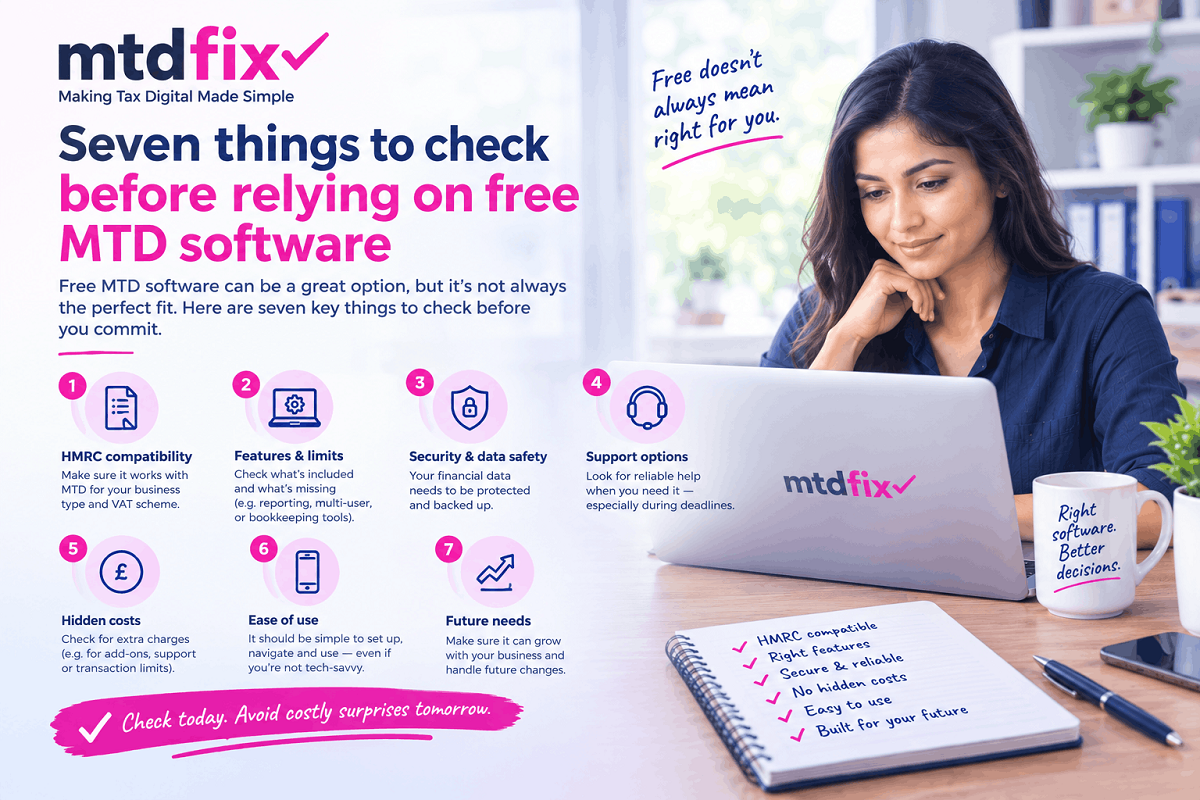
The catch: seven things to check before relying on “free”
A free product only works for you if its conditions match your circumstances. The Low Incomes Tax Reform Group warns taxpayers to look out for free trials that turn into charges, offers limited to customers of certain banks, and products where getting at your own data later may depend on paying a subscription. These seven checks take a few minutes and can save a painful switch in the middle of the tax year.
- Is it free for good, or only for now? A 30-day trial is a paid product with a delayed start. Look for wording such as “free forever” or “no billing”.
- Does it depend on something else staying in place? Bank-linked offers usually last only as long as you keep the account, and some require a minimum level of activity.
- What are the volume limits? Check caps on transactions, invoices, expenses, bank connections and receipt scans — and whether each cap is monthly, yearly or in total.
- Does it cover every income source you have? Self-employment, UK property and foreign property are separate income types under MTD. A plan built for one may not handle another.
- Can it file your year-end return? Quarterly updates are only part of the job. You’ll also need to submit your tax return through software after the year ends.
- Can your accountant get in? If someone reviews your figures or files on your behalf, confirm the free plan allows an extra user or accountant access.
- Can you take your records with you? Find out whether you can export your data freely if you leave or the free offer ends, and whether access to past records needs a paid plan.
Expert insight: the question people most often forget is number seven. You’re required to keep business records for years after the tax year ends, so a free tool that locks old records behind a paywall once you stop using it isn’t really free — it just moves the bill to later.
Free MTD software for sole traders, landlords and mixed income
The simpler your income, the more free options you have. Each extra income type or a VAT registration narrows the field, so it’s worth matching your situation against the products before you start.
If you have one trade
This is where free software works best. All seven products in the comparison table handle self-employment income, so the deciding factors are practical: how many transactions you have, whether you want everything inside your banking app, and whether you’d rather work in a spreadsheet. A one-person business with a steady flow of payments is exactly the case HMRC had in mind when it said free software may suit the simplest businesses.
If you’re a landlord only
Most free options also cover property income, but they handle it differently. Clear Books has a dedicated Property Free plan. FreeAgent uses a separate landlord account. Zoho Books includes property tracking on its free plan, and Tide and Monzo both extend their MTD tools to landlords. If you let property abroad, check that foreign property is covered — My Tax Digital, for example, lists both UK and foreign property. For the reporting rules themselves, see our page on Making Tax Digital for landlords.
If you have trading and rental income
This is the combination most likely to catch you out. You’ll send a separate quarterly update for each income source, and some providers treat each source as a separate account or plan. FreeAgent’s bank-linked offer gives one free account per qualifying bank account, so a landlord who also trades may need either a second qualifying account or a paid plan for the second income. Clear Books splits the two across its Sole Trader Free and Property Free plans. Products that cover both types in one place are simpler to run — but confirm that with the provider rather than assuming it.
If you’re VAT-registered
Your free choices shrink. Clear Books’ free plans leave VAT out and require an upgrade for VAT returns, and Sage aims its free plan at sole traders who aren’t VAT-registered. Of the free options, Zoho Books, FreeAgent and My Tax Digital state that they handle MTD VAT. Having one product for both VAT and income tax saves you running two systems side by side.
Illustrative example: will a free plan’s limits fit?
Volume caps sound generous until you count your own transactions. This example shows how the same free plan can suit one side of someone’s income and struggle with the other.
Illustrative example — the assumptions:
- Hannah lets out three flats and also runs a mobile dog-grooming business.
- She is looking at Zoho Books Free, which allows up to 1,000 invoices and 1,000 expenses a year.
- Her tenants pay monthly, and she raises an invoice for every grooming appointment.
| Activity | Per month | Per year | Within the free cap? |
|---|---|---|---|
| Rent invoices (3 flats) | 3 | 36 | Yes |
| Grooming invoices | 90 | 1,080 | — |
| Total invoices | 93 | 1,116 | No — 116 over the 1,000 limit |
| Expenses (both sides) | 30 | 360 | Yes |
Illustrative figures only. Zoho Books’ limits are as published on its UK pricing page on 30 September 2026.
On the rental side alone, Hannah would barely scratch the free limits. It’s the grooming business that pushes her over — and she’d hit the cap around the eleventh month, just as the tax year is closing. She has three sensible choices: stop raising an invoice for card payments taken on the spot and record them from her bank feed instead, pick a free product that doesn’t cap invoices, or budget for a paid plan from the start. What she shouldn’t do is discover the limit in February with a quarterly update due.
When free stops being the cheapest option
Free software stops being the cheapest route once the time it takes, or the mistakes it lets through, cost more than a paid alternative. The subscription price is only one part of what MTD costs you.
Three things tend to tip the balance:
- Your time. Free plans often leave out the automation that saves the most effort, such as unlimited receipt scanning or automatic bank matching. If you’re spending several extra hours each quarter on data entry, that time has a value.
- Penalty points from April 2027. HMRC isn’t giving penalty points for late quarterly updates during 2026/27, but that soft landing ends on 6 April 2027. After that, each missed deadline adds a point, and four points trigger a £200 penalty. A free setup you struggle to keep up with can soon cost more than a subscription would have.
- Outgrowing the plan mid-year. Hitting a volume cap or adding a new income source part-way through the year forces a switch at the worst possible moment, with records to move and updates still due.
If you’re weighing free against paid, our guide to what MTD software really costs sets out current paid prices, the VAT you may not be able to reclaim and the tax relief available on a subscription.
Free software vs an accountant
Free software removes the subscription; an accountant removes the work. Neither is right for everyone. The better fit depends on how much of the job you want to do yourself and how confident you are that the figures going to HMRC are treated correctly.
| What matters to you | Free software, done yourself | Accountant-run MTD |
|---|---|---|
| Software cost | £0, within the plan’s conditions | Included in some firms’ fees, charged separately by others |
| Who does the bookkeeping | You, every month | The accountant, or you with their review |
| Quarterly updates and year-end return | You submit each one | Filed by your agent |
| Checking the tax treatment | Software checks the format, not the judgement | Reviewed by a person before submission |
| Coping with change | You deal with plan limits, new income or a switch | Handled as part of the service |
| Most suitable for | One simple income source, low volume, happy with apps | Mixed income, several properties, little spare time or a past filing problem |
Expert insight: free and paid software share the same blind spot. Both will accept a boiler replacement at a rental flat entered as a repair, or a new laptop logged as a day-to-day cost, without questioning it. Getting that distinction wrong can overstate your expenses in one year and understate them in another. A quick human review each quarter is often worth more than any feature a paid plan adds.
Don’t want to learn any software, free or paid?
MTDFix’s HMRC-registered accountants handle your records and send every quarterly update and year-end return for you. The filing software is included in a fixed fee that’s published on our website. Share your rough turnover and whether you have rental income, and we’ll confirm your MTD start date and your fee before any work begins.
How to set up free MTD software, step by step
Get your obligations clear first, then choose the product, then sign up for MTD. HMRC’s guidance is to pick your software before you sign up, so the order matters.
- Work out your qualifying income. Add your gross self-employment turnover to your gross rental income, before any expenses. Above £50,000, MTD has applied since 6 April 2026; above £30,000, it starts on 6 April 2027. A further step down to £20,000 is planned for April 2028.
- List your income sources. Note whether you have self-employment, UK property and foreign property income, and whether you’re VAT-registered.
- Shortlist free products that cover all of them. Use HMRC’s software finder with the free filter, and the comparison table earlier in this guide.
- Run the seven checks. Read each provider’s terms on time limits, bank conditions, volume caps, the year-end return, accountant access and data export.
- Connect the software to HMRC. Authorise it with your HMRC sign-in details and link your bank account if the product supports bank feeds.
- Sign up for MTD for Income Tax through GOV.UK, if you haven’t already, and set a reminder for each quarterly deadline.
Before you commit to a free product
- ☐ It’s on HMRC’s list of recognised MTD for Income Tax software
- ☐ It’s free on an ongoing basis, not just for a trial period
- ☐ I meet any bank or activity condition, and expect to keep meeting it
- ☐ It covers every income source I report
- ☐ My expected volumes sit comfortably inside its limits
- ☐ It can submit my year-end return
- ☐ It handles VAT, if I need that
- ☐ My accountant can access it, if I use one
- ☐ I can export my records if I leave
Common mistakes with free MTD software
- Treating a free trial as free software. Charges start when the trial ends unless you cancel.
- Checking caps without checking the period. A limit means little until you know whether it resets monthly, yearly or never.
- Assuming rental income is covered because the product handles your trade.
- Forgetting the year-end return. Quarterly updates alone won’t complete your obligations.
- Moving bank for a free app without weighing up the wider cost of switching.
- Retyping spreadsheet totals into bridging software instead of letting them import digitally.
- Leaving the tool untouched until a deadline — which becomes expensive once penalty points apply from April 2027.
- Not planning an exit. Find out how to get your records out before you need to.
FAQs
Is free MTD software free forever?
Some of it is. Certain providers describe their free plans as free with no end date, while bank-linked offers normally last only while you hold the qualifying account. Free trials are different altogether and turn into paid subscriptions when they end.
Does HMRC offer free Making Tax Digital software?
No. HMRC doesn’t produce MTD for Income Tax software itself. It lists recognised third-party products in its online software finder on GOV.UK, where you can look for free options.
Can I use Excel for MTD without paying?
Yes, if you pair your spreadsheet with free bridging software that imports the figures directly. My Tax Digital, for example, offers a free bridging mode. The numbers must move electronically; typing them in again by hand doesn’t meet HMRC’s rules.
Will free software file my year-end tax return?
Many free products do, including Tide, Monzo, FreeAgent, Zoho Books, Clear Books and My Tax Digital, according to their own websites. Where a provider doesn’t confirm it clearly, ask before you rely on the product for the whole year.
Is there free MTD software for both trading and rental income?
Yes, but the arrangements vary. Some products cover both in one account, while others use separate accounts or plans for each. FreeAgent’s bank-linked offer, for instance, gives one free account per qualifying bank account.
Can my accountant use my free software?
Often, yes. Zoho Books’ free plan includes access for one accountant, Clear Books lets you invite one, and Tide allows accountants to be added as users. Check the specific plan’s terms, as access rules differ between products.
The takeaway
You don’t have to pay for software to comply with Making Tax Digital. Genuine £0 options exist, from banking apps with MTD built in to permanent free plans and free spreadsheet bridging. What separates a good free choice from a poor one is fit: whether it covers every income source you have, whether its limits match your volumes, and whether it will still suit you at the end of the year. Start by listing your income types and running the seven checks, then commit to the product that passes. If none does, a paid plan or a fixed-fee accountant may cost less over the year than a free tool you outgrow.
The people behind this guide
Marina Jahan of MTDFix wrote this guide. Shamayun Chowdhury reviewed it: he is CIMA qualified, Senior Accountant at Major Accountancy in Leicester, and a lecturer in accounting at Nottingham Trent University.
In more than 15 years of UK practice, Shamayun has worked with upwards of 500 businesses on Self Assessment, Corporation Tax, VAT and Making Tax Digital. See his LinkedIn and Facebook profiles.
Tax year: 2026/27 · Product terms and rules checked: 30 September 2026 · MTDFix is part of Major Accountancy Limited. Products are named for information only and are not endorsed. This guide is general information, not personal tax advice.
Sources
- GOV.UK — Find software that works with Making Tax Digital for Income Tax
- GOV.UK — Choose the right software for Making Tax Digital for Income Tax
- HMRC — MTD threshold reduction to £20,000: tax information and impact note (March 2026)
- GOV.UK — Penalties for Making Tax Digital for Income Tax
- Low Incomes Tax Reform Group — Choosing Making Tax Digital software
- Provider terms: Tide · Monzo · FreeAgent · Zoho Books · Clear Books · Sage · My Tax Digital