
Best Software for MTD: How to Judge It, Not Just Which to Buy
By Marina Jahan ·
Reviewed by Shamayun Chowdhury, CIMA ·
Tax year 2026/27 · Last reviewed [22/September 2026]
Search for the best MTD software and you will find a dozen rankings that disagree with each other. Look closer and the pattern is obvious: the landlord app ranks itself first, the accounting platform ranks itself first, and the comparison sites earn a commission on whichever link you click. None of that is sinister. It is just how this corner of the internet pays its bills.
MTDFix sells accountancy services, not software, and takes no commission from any provider. So this page does something different. Instead of handing you a winner, it shows you how to pick one, and which questions separate a product that fits your situation from a product that merely advertises well.
Quick answer
The best software for MTD is the recognised product that covers every income source you have, files both your quarterly updates and your year-end tax return, and suits how you already work. A landlord with four flats and a sole trader with 300 invoices need different tools. Judge on coverage, cost after the introductory period, and whether you can actually live with it.
Why “best MTD software” has no single answer
Making tax digital best software rankings run into one problem: the products are built for different people, and the same feature is an asset for one reader and clutter for another.
Over-engineered. A full accounting platform aimed at growing companies gives a landlord payroll, inventory, project tracking and multi-currency, none of which they will ever open. They pay for it anyway, and the quarterly update takes longer because the interface is built for something bigger.
Under-featured. A lean tool designed around one rental property runs out of room the moment a second trade appears, a property abroad joins the list, or the year-end return needs a pension contribution added.
So the right question is not which MTD software is best, or what is the best MTD software in the abstract. It is which product is best at the specific job you need doing four times a year. MTD best software arguments usually collapse the moment two people compare their income sources.
How many people are still deciding
HMRC put around 864,000 sole traders and landlords into the first phase of Making Tax Digital for Income Tax. By mid-August 2026, on HMRC’s published figures, roughly 570,000 had signed up and about 436,000 had sent a first quarterly update.
Read that gap and the picture becomes clear. Hundreds of thousands of people were still choosing software, or had chosen and not filed, well after the first deadline. If you feel behind, you are in a very large group, and rushing into the wrong subscription is the expensive version of that mistake. [VERIFY these HMRC participation figures before publication]
What “top MTD software” lists usually measure
Read the top MTD software rankings carefully and most are sorted by brand recognition or commission rate, not fit. The genuinely useful comparisons declare their commercial relationships, state their selection criteria, and tell you which situations each product suits. Those are worth reading. The rest are advertising with a table.
Does HMRC recommend any MTD software?
No. Its role stops at recognition, and the guidance states the position outright: no product and no provider gets a recommendation from HMRC.
That single sentence disposes of a whole category of marketing. There is no HMRC recommended MTD software, no government-endorsed product, and no official favourite. Recognition means a product passed technical testing and can submit through HMRC’s service. It is a pass mark, not a prize.
So when you are weighing which HMRC-recognised MTD software is best, or asking what is the best HMRC-recognised MTD software for your situation, remember that every product on the list starts from the same baseline. The differences between them are commercial choices by the vendor, not quality grades awarded by HMRC. The same applies to the best HMRC-recognised MTD software claims you will see in adverts.
One more thing HMRC does not do: provide software of its own. Despite what some comparison sites claim, there is no free government tool for MTD for Income Tax. Every route to filing runs through a commercial product, though plenty of those have free tiers.
Two signals the listing gives you
- Whether a free version of the product exists
- How each of your income sources is handled, labelled ready now, still in development, or not covered
Almost nobody uses that second label, and it does more work than any review: the best MTD-compliant software for you is simply the one covering everything you earn from. Ask what is the best MTD-compliant software in the abstract and there is no answer, because the sources decide it. The next section shows how to use the label properly.
What the listing never tells you
- The price, or what happens to it after the first year
- Usage caps on the free tier
- Contract terms and notice periods
- Support hours, or how the vendor copes in deadline week
- Whether the product is any good to use
All of which you have to find out yourself, from the provider and from people who already use it. Our guide to Making Tax Digital software covers how the finder tool works.
Income sources: the coverage check most people skip
Here is the trap that costs people a second subscription. A product can be fully recognised by HMRC, entirely compliant, and still unable to handle your particular mix of income.
Inside the finder tool, every income source carries its own label: ready now, in development, or not covered. Take “in development” literally. It means you cannot use it today, however confident the roadmap sounds.
| Income source | Why it trips software up |
|---|---|
| UK property, single owner | Universally supported; the easy case |
| Jointly owned property | Your share only, and the software has to split it properly. Several tools cannot |
| Property abroad | A separate business from UK property, needing its own update. Many products skip it entirely |
| Former furnished holiday lets | The FHL regime ended in April 2025, so these are ordinary property income now. Older tools may still have a separate FHL category |
| More than one trade | Each trade files its own update. Some tools allow one business per account |
| CIS deductions | Recorded gross, with the deduction claimed later. Not every tool handles the reconciliation |
| Partnership profit share | No digital records needed, but your software must still report it on the tax return |
| Employment, pensions, dividends, savings | Same: not in quarterly updates, but required on the return |
Illustrative example
A landlord with two UK flats, a half share in a third with his sister, and a small apartment in Spain needs three things from a product: per-property records, a joint-ownership split, and a separate overseas property business. Plenty of recognised products give him one or two. Circumstances are invented to explain the point.
The practical rule: list your income sources before you shortlist anything, then check the finder tool against your list rather than against a review. Our page on HMRC landlords Making Tax Digital explains how joint and overseas property are treated.
Does it file your year-end tax return?
Quarterly updates are the visible part of Making Tax Digital. The tax return, filed by 31 January, is the part that actually settles your tax, and it is where a surprising number of products stop.
Some recognised tools send quarterly updates only. Perfectly legal, and often cheap, but the year-end has to happen somewhere else: a second product, or an accountant. That is a fine arrangement as long as you chose it deliberately rather than discovering it in January.
- Does the product file the tax return itself, or only the quarterly updates?
- Can it take in your other income — employment, pension, dividends, savings, partnership share — since the return needs all of it?
- Does it handle year-end adjustments such as capital allowances and pension contributions, or expect them to be entered elsewhere?
A product that answers yes to all three is a complete solution. One that answers yes to the first only is a quarterly filer, and you should price the second half of the job before committing.
Expert insight: the cheapest quarterly tool plus a January accountancy fee often costs more than a single product that does both. Compare the whole year, not the monthly headline.
The feature checklist before you buy
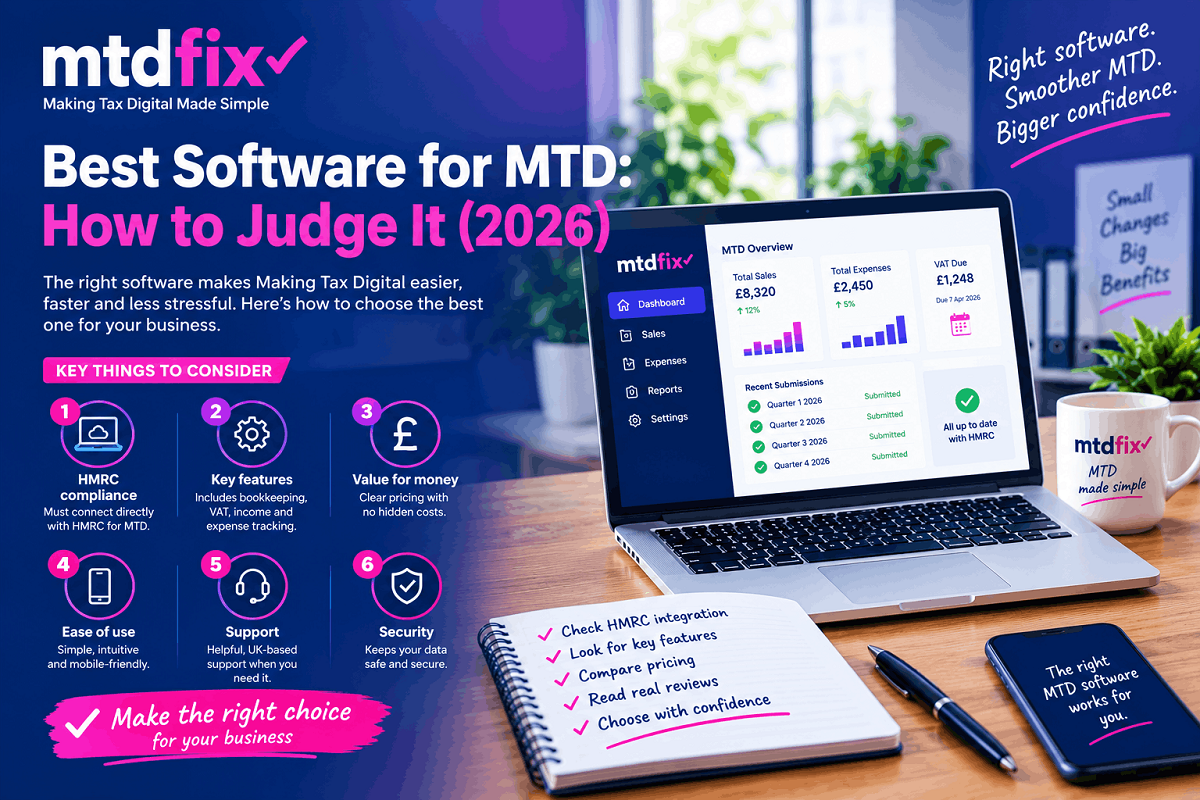
Once the type is settled, HMRC suggests checking the product itself against your circumstances. Five points do most of the work.
| Check | Why it matters |
|---|---|
| Does it support every income source you have? | A product built for sole traders may not handle foreign property, and one built for landlords may not handle a trade |
| Can it file both the quarterly updates and the tax return? | Some products stop at quarterly updates, leaving you to find a second tool for January |
| Does it work with your accounting period? | Standard tax-year quarters and calendar quarters are different settings, and not every product offers both |
| Does it allow more than one agent? | Relevant if a bookkeeper and an accountant both act for you |
| What are the limits on the free tier? | Free products often cap transactions or features, and the cap usually bites in your busiest year |
Two extras worth a look. Some products have HMRC Assist built in, which flags likely errors in your return using HMRC’s own data alongside your figures. And if your circumstances are likely to change, a landlord thinking of starting a trade for instance, check the product can take that on before you commit a year of records to it.
One security point. Legitimate software never asks for your Government Gateway password. The connection uses HMRC’s own sign-in screen, and you approve access there. Any product or “agent” asking you to hand over the password itself should be refused.
Running two products side by side
Mixing products is permitted, subject to one hard rule: no submission may be split between them, so each one leaves from a single product. A landlord cannot send half a quarterly property update from one tool and half from another.
What that permits in practice:
- One product per income source. A builder who also lets a flat can run trade records in one package and property records in another, each sending its own update.
- One product per task. Records and quarterly updates in a bookkeeping tool; the tax return filed through something else.
The catch is joinery. If you use two products, they have to work together to cover every requirement between them, and the links have to be digital. For most people one product is simpler; for anyone with an established system worth keeping, the split is a legitimate way to avoid ripping it out.
Your VAT software may not cover Income Tax
This catches out more people than any other software question, and it catches the organised ones: businesses that sorted MTD for VAT years ago and assume the job is done.
Recognition is granted per service. A product tested and listed for VAT has proved it can send VAT returns. Quarterly Income Tax updates are a different set of submissions, tested separately, and a product can be recognised for one and not the other. HMRC’s list is split along exactly that line, which is why you choose Income Tax or VAT before you search it.
Most of the big accounting packages now cover both. Smaller and older tools, particularly VAT-only bridging products bought in 2019 or 2022, often do not.
- Find your product on HMRC’s Income Tax list, not the VAT one.
- Ask the vendor directly whether quarterly Income Tax updates are live, not “coming”.
- Check whether your plan includes it. Some suppliers put Income Tax filing on a higher tier than the VAT-only package you currently pay for.
Being VAT registered does not change your Income Tax position either way. The two regimes are judged separately, as our page on Making Tax Digital VAT returns explains.
Authorising your software with HMRC
Registering for Making Tax Digital and connecting software are two separate jobs, and the gap between them is where filings go missing. HMRC knows to expect updates from you; your software has no permission to send them.
How to authorise MTD software, or in the longer phrasing authorise software for Making Tax Digital, whichever product you choose:
- Open the product and find the HMRC or Making Tax Digital connection setting.
- Sign in with the Government Gateway details you use for Self Assessment, not a new account.
- Grant the software permission to interact with HMRC on your behalf.
- Check that your quarterly obligations and their due dates now appear in the product. An empty list means the handshake did not complete.
Two practical notes. Permissions expire, usually after 18 months, so at some point your software will ask you to authorise it again; this is routine rather than a fault. And if an accountant files for you, they authorise their own software against your record instead, which is why you never sign in. Our guide to signing up for Making Tax Digital covers the registration half.
How to use MTD software once it is connected
- Record income and expenses as they happen, or let a bank feed do it
- Review the categories before each quarter closes
- Check the summary the software has built
- Submit, and keep the confirmation
- Repeat four times, then finalise the year and file the return by 31 January
Nothing in that list is difficult. It simply has to happen five times a year rather than once, which is the real change MTD brings.
MTD software downloads, Mac and mobile apps
MTD software download: rare. Recognised products are nearly all cloud-based now, which means a browser login rather than an installer. Bridging tools are the exception, since several run as Excel add-ins.
Making Tax Digital software for Mac: rarely an issue. Cloud products are operating-system agnostic, so a Mac works exactly like a PC, and any MTD software for Mac question usually comes down to the desktop add-in bridging tools, some of which are Windows-only.
Making Tax Digital app options: most major providers have one. Apps for Making Tax Digital are useful for photographing receipts on site, less so for the quarterly review, which is easier on a full screen.
Cost, free options and the best products
Three questions always follow, and each has its own page rather than a paragraph here.
What it costs. Sole trader and landlord plans typically run from a few pounds a month to around £15, with higher tiers for limited companies and multi-user access. Bridging tools are usually cheaper, sometimes a one-off annual fee. Our breakdown of Making Tax Digital software cost sets out current pricing.
Free options. Genuinely free recognised products exist, and some are free only for basic use or for a limited period, which is worth checking before you commit a year of records to one. See our guide to free Making Tax Digital software.
Which is best. No single winner exists, because the right pick follows your working habits rather than a feature count. Our comparison of the best software for MTD sets the main options against each other.
Whichever you pick, remember that MTD software providers, HMRC MTD software providers, MTD software suppliers and making tax digital suppliers are all commercial businesses selling to you; HMRC is not recommending any of them. MTD approved software providers, as the marketing usually puts it, start from the same technical baseline.
If you would rather not run software at all
Plenty of people read this far and conclude they do not want to learn an accounting package to satisfy a filing rule. That is a legitimate answer, not a failure.
MTDFix works as your HMRC agent: we keep the digital records from your paperwork, file every quarterly update from our own recognised software, and finish the year with your tax return. You never choose a product, never authorise anything, and never see the software.
Filed for you, software included
£15 a month
- Recognised software, set up and run by us
- Digital records from your paperwork
- Four quarterly updates filed
- Year-end tax return
Running your own software
Keep control
- Pick from HMRC’s list
- Authorise it yourself
- File five times a year
- Ask us only when something breaks
Not sure which suits you? Talk to a Making Tax Digital accountant at MTDFix.
Skip the software decision entirely
Tell us what you run and how you keep records now. We will say whether software is worth it for you, or file it all from ours at a fixed monthly price.
📞 0116 403 0595 | 📧 info@mtdfix.com | 🌐 mtdfix.com
MTDFix, 6 Egginton Street, Leicester, LE5 5BA · Working with clients UK-wide
FAQs
Does HMRC supply its own Making Tax Digital software?
No. HMRC publishes the list of recognised products and nothing else. Every option you can file with is commercial, whether free or paid.
Can I find software for Making Tax Digital that handles VAT and Income Tax together?
Yes, most full accounting packages do. Check the Income Tax list specifically, because VAT recognition alone does not prove the product can send quarterly updates.
Is a spreadsheet enough on its own?
For record keeping, yes. For filing, no. A spreadsheet has to be paired with bridging software, and the figures must pass between them digitally rather than being retyped.
What happens if my provider drops off HMRC’s list?
You would need to move before your next submission, which is why the live list is worth a glance each year. Recognition is withdrawn rarely, but products are discontinued more often.
Can I switch software partway through the tax year?
Yes. Authorise the new product, make sure your records move across in full, and check that previously submitted quarters still show correctly before the next deadline.
Do I need separate software for each business I run?
Rarely. Most products cover several trades and properties inside one account and report each of them separately, which beats juggling two logins and two subscriptions.
My accountant files for me. Do I still pay for software?
Not if they file from their own. Check what their fee covers before buying anything yourself, since our fee, for example, includes it.
The practical takeaway
The software decision is smaller than it looks. Confirm the product is on HMRC’s current list for the tax you file, pick the camp that matches how you already work, authorise it properly, then get on with the quarterly rhythm. Features beyond that are conveniences you are buying for yourself, not compliance you owe HMRC.
And if none of it appeals, remember the fourth option: let someone else file from software you never have to open.
Written for the 2026/27 tax year. General guidance on software choice, not a recommendation of any product or advice for your own circumstances. Always check HMRC’s current list before buying.
Sources
- HMRC guidance on choosing software for Making Tax Digital for Income Tax (GOV.UK)
- HMRC guidance on signing up for Making Tax Digital for Income Tax (GOV.UK)
- HMRC VAT Notice 700/22 on digital records and returns (GOV.UK)
- HMRC software finder tool for Making Tax Digital for Income Tax (GOV.UK)
- Number of recognised Income Tax products listed in early 2026 (Wikipedia, citing HMRC)