
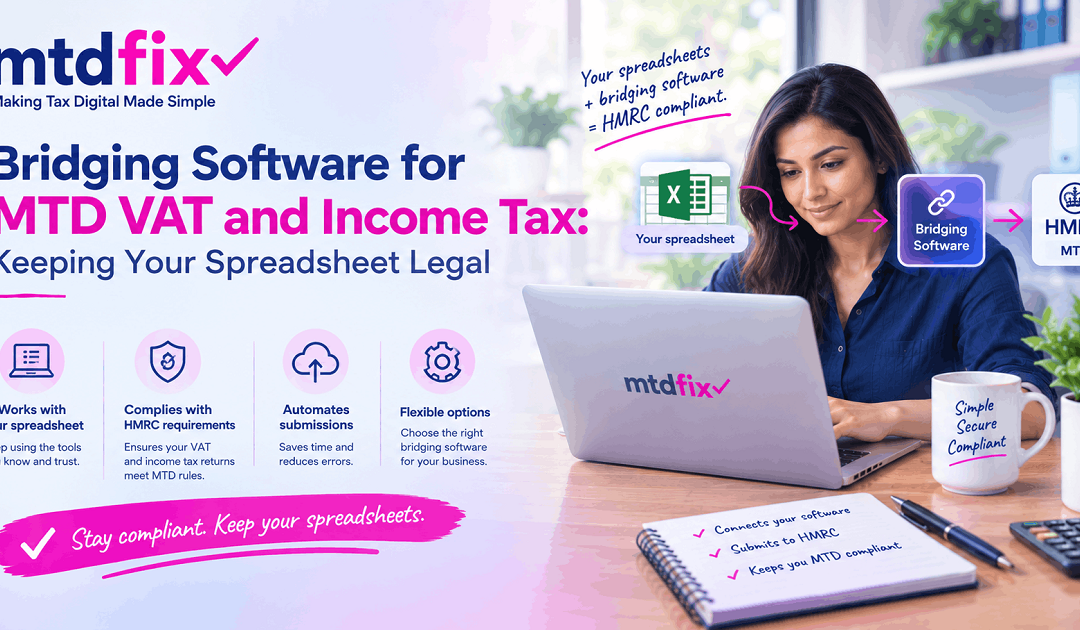
Bridging Software for MTD VAT and Income Tax: Keeping Your Spreadsheet Legal
By Marina Jahan · Reviewed by Shamayun Chowdhury, CIMA · Tax year 2026/27 · Last reviewed [22 September 2026]
Some of the best-kept books we see live in spreadsheets. Years of tidy tabs, formulas that reconcile to the penny, a VAT summary that has never been wrong. Their owners are often told that Making Tax Digital means throwing all of that away and moving into a subscription accounting package.
It doesn’t. A spreadsheet can stay at the centre of your bookkeeping for VAT and for Income Tax. What it can’t do is talk to HMRC, and that is the single gap a bridging tool exists to fill.
Quick answer
Bridging software for MTD VAT is an HMRC-recognised tool that reads the figures in your spreadsheet and sends them to HMRC through its Making Tax Digital connection. Your records stay in Excel or a similar program; the tool handles the submission. Versions exist for VAT returns and for Income Tax quarterly updates, as add-ins, desktop downloads or web uploads, with free and paid options.
Where we stand
We don’t sell or earn commission on any bridging product. We file for clients whose records live in spreadsheets as well as in full accounting packages, so this page is written from both sides.
What is bridging software for MTD?
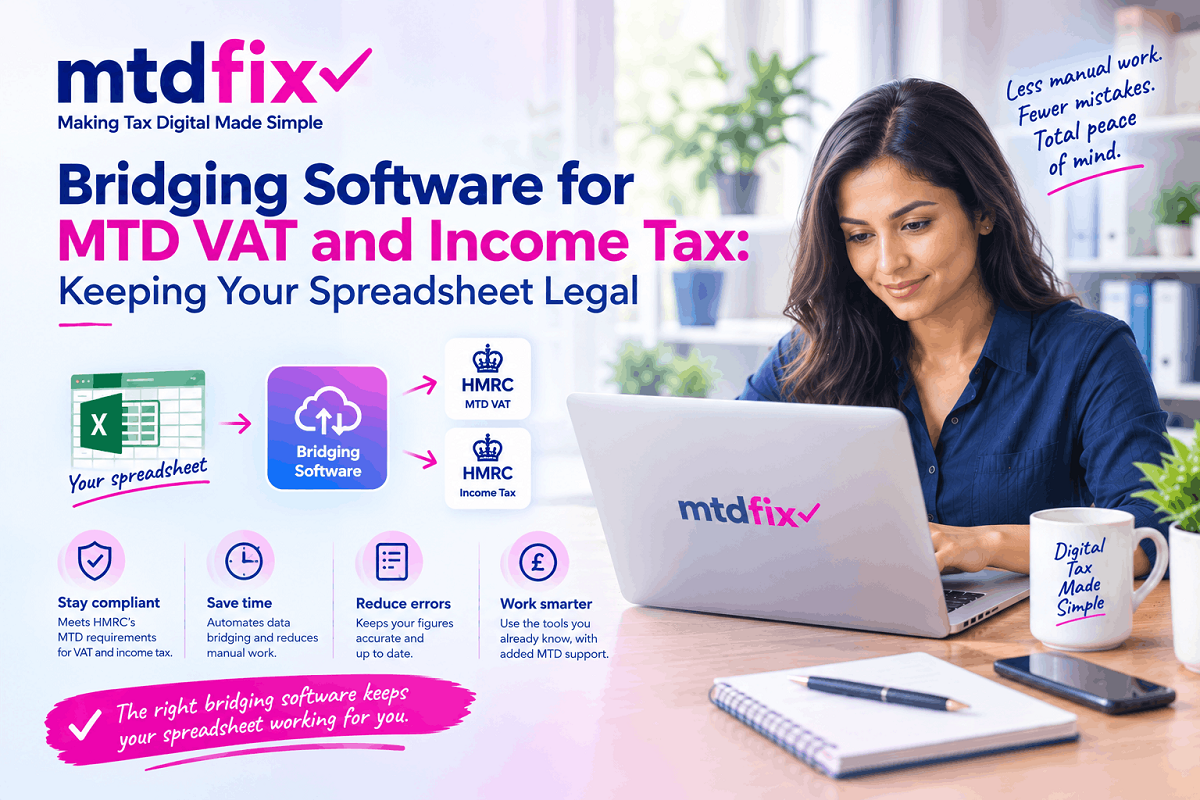
Think of it as a courier between your spreadsheet and HMRC. The spreadsheet holds your records and does the arithmetic. The bridging tool picks up the finished figures, checks they are in the shape HMRC expects, and delivers them through HMRC’s connection for software.
Nothing more is required of it by law. Many tools add helpful extras, but the core job of HMRC mtd bridging software is that hand-off, done digitally from start to finish.
Recognised by HMRC, not issued by it
HMRC doesn’t produce its own tool. Every bridging product comes from a private provider and has passed HMRC’s technical tests, which is why it appears in HMRC’s software finder. Searches such as “HMRC bridging software MTD”, “mtd bridging software HMRC” or “HMRC making tax digital bridging software” are really asking which recognised tools exist; the answer lies in that finder rather than in any government download.
The word “approved” crops up a lot on provider websites. HMRC’s term is recognised, and it confirms technical ability to submit, not quality.
How does MTD bridging software work?
In practice the cycle runs like this:
- You keep your transactions in a spreadsheet as normal.
- A summary area in the same workbook pulls the totals HMRC needs, using formulas rather than retyped numbers.
- The bridging tool is linked to your HMRC account once, through HMRC’s sign-in page.
- When a return or update is due, the tool reads the summary cells, either from inside Excel or from a saved file.
- You check what it has picked up, confirm, and it sends the figures to HMRC.
- HMRC’s confirmation comes back to the tool, and many tools also show which periods are open or overdue.
MTD compliance bridging: the digital link rule
A bridge only keeps you compliant if every step before it is also digital. Figures may be typed in once, when the transaction is first recorded. After that they must flow by formula, file import or software connection all the way to HMRC. A tidy transactions tab followed by a summary that someone fills in by hand breaks the chain, however accurate the numbers. Our record-keeping guide has a full list of which links count.
Can I use Excel for Making Tax Digital?
Yes. Keeping records in Excel is an accepted way to meet the rules for both VAT and Income Tax. The catch is that Excel cannot submit anything to HMRC on its own, so the answer to “can you use Excel for Making Tax Digital” is always “yes, together with bridging software”.
Making tax digital using Excel spreadsheets: what a workable set-up looks like
A spreadsheet that works well under MTD usually has three parts:
- A transactions tab, with one row per sale or cost, showing the date, amount and category
- A summary tab that adds up those rows with formulas, producing the nine VAT boxes or the Income Tax category totals
- A clearly marked area the bridging tool reads from, so the figures it picks up are always the formula results
Making tax digital with Excel goes wrong when the summary becomes a place where numbers are typed rather than calculated. Keep it formula-driven and the spreadsheet stays compliant indefinitely.
Other spreadsheet programs
A making tax digital spreadsheet doesn’t have to be Excel. Google Sheets, Apple Numbers and LibreOffice can all hold MTD records. What changes is the bridge you can use with them: some tools only connect to Excel, while others accept an exported CSV or Excel file from any spreadsheet. Check that before you build your workbook around a particular program.
Is a spreadsheet really “making tax digital software”?
People search for making tax digital software Excel versions as if Excel itself must be recognised. It isn’t, and it doesn’t need to be. The spreadsheet counts as your digital record-keeping; the bridging tool is the recognised software. Together they meet the requirement that full accounting packages meet on their own.
Making tax digital excel bridging software: three ways tools connect
Bridging tools all do the same job, but they reach your spreadsheet in different ways. The difference affects which computer you can use, which spreadsheet programs work, and how much fiddling each filing takes.
| Type | How it reads your figures | Usually suits |
|---|---|---|
| Excel add-in | Installed inside Excel; you point it at the cells that hold your totals and submit without leaving the workbook | People who live in Excel and want the fewest steps |
| Desktop application | A separate program on your computer that opens a saved Excel or CSV file and submits from there | Single businesses, and users of older accounting packages that can export a file |
| Web upload | You drop the provider’s template into your workbook, save it, and upload the file to the provider’s website | People on Google Sheets, Numbers or other programs, or anyone who prefers not to install anything |
Making tax digital excel add in tools
An add-in sits on Excel’s ribbon. Because it reads cell values directly, there is no exporting or saving step, which removes a common source of mistakes. Some add-ins are distributed through Microsoft’s own add-in store and run wherever Excel does, including Mac and the web version. The trade-off is that you need Excel itself: making tax digital excel add-ins won’t help if your records are in Google Sheets.
MTD for VAT bridging software download options
Many established tools are downloads rather than add-ins. You install the program, open your saved spreadsheet or CSV file in it, and submit. This route works well with exports from older bookkeeping packages that were never updated for MTD, since almost any program can save a CSV. Before choosing an mtd vat bridging software download, check two things: whether it runs on your operating system, as several are Windows-only, and how its licence counts businesses and computers if you file for more than one.
Web-based tools
The web route asks you to add the provider’s template to your workbook, save it, and upload it. Because the provider reads a saved file rather than connecting to Excel, any spreadsheet program that can save in Excel format will do. The extra save-and-upload step each quarter is the price of that flexibility.
Making tax digital VAT bridging software, step by step
For VAT, the bridge’s job is narrow and well defined: carry nine box totals to HMRC.
- Your spreadsheet calculates the nine VAT return boxes from your transaction records.
- You connect the tool to your VAT registration once, through HMRC’s own sign-in screen.
- The tool shows the VAT periods HMRC is expecting, so you can pick the right one.
- It reads the nine figures from your spreadsheet or saved file.
- You check them against your workings, confirm the declaration, and submit.
- HMRC’s receipt comes back, and many tools also show what HMRC has recorded as owed and paid.
What the bridge doesn’t know
VAT MTD bridging software is a messenger, not an adviser. In most cases it has no idea which VAT scheme you use, whether you are partly exempt, or how your flat-rate percentage should be applied. All of that has to be built correctly into the spreadsheet. If the formulas behind box 1 are wrong, the tool will file the wrong number quickly and accurately. If you’re unsure your spreadsheet handles your scheme properly, each scheme’s needs are set out on our MTD VAT software page.
Agents and several businesses
Accountants and bookkeepers often use HMRC MTD VAT bridging software to file for many clients whose records arrive as spreadsheets. Tools aimed at agents link to an agent services account and handle several VAT registrations from one place. If you run more than one VAT-registered business yourself, check how many registrations a licence covers before you buy.
Searching for “MTD for VAT bridging software HMRC”
The only reliable list of recognised VAT bridging tools is HMRC’s own software finder, filtered for VAT and for products that work with spreadsheets. A tool missing from that finder cannot legally file your return, however professional its website looks.
Bridging software for MTD for Income Tax
Bridging works for Income Tax too, and many sole traders and landlords with established spreadsheets are using it from their first quarter. The job is similar to VAT but not identical, and the differences catch people out.
What an Income Tax bridge reads
Instead of nine fixed boxes, MTD income tax bridging software reads a set of category totals for each income source: turnover and expenses for each self-employment, and rents and costs for your property business. The totals run from the start of the tax year to the end of the latest quarter, so your summary tab needs to accumulate year-to-date rather than show each quarter alone. Some tools read your own workbook; others ask you to use their template.
The year-end gap
Here is the question to ask before you buy: does the tool file your tax return as well as your quarterly updates? Some mtd for income tax bridging software handles the full year, including adjustments and other income. Some only sends the quarterly updates, leaving the return to a second product or an accountant. Neither is wrong, but you need to know which you have before January. What the year-end step involves is covered on our Income Tax software page.
Licensing for Income Tax
Bridging software for MTD income tax is often licensed per taxpayer, typically by National Insurance number, rather than per business. That is good news if you run a trade and a let: one licence usually covers every income source in your name. Couples who both have rental income generally need one each.
Making tax digital spreadsheet bridging software for both taxes
If you are VAT registered and inside MTD for Income Tax, a tool that bridges both from the same workbook saves duplicate set-up. Check that each tax is listed separately for that product in HMRC’s software finder, since recognition for one doesn’t guarantee the other.
MTD bridging software for landlords
Spreadsheets are especially common among landlords. A small portfolio produces a manageable number of transactions, and many landlords have tracked rents and costs in Excel for years. Bridging lets that carry on, provided the workbook is shaped around how HMRC sees property income.
One property business, not one per house
For HMRC, all your UK lettings form a single property business, so the bridge sends one set of totals for them. You can still keep a tab per property for your own purposes, as long as a summary tab adds them together by formula. Lettings abroad form a separate business with their own update, so give them their own summary.
Rows a landlord’s spreadsheet needs
Beyond rent and the usual running costs, three items deserve their own lines:
- Residential finance costs, such as mortgage interest, which are reported separately from other expenses rather than deducted with them
- Letting agent fees, recorded as a cost against the full rent collected, not netted off
- Tenancy deposits, kept out of income until any part of them is retained
Joint owners
If you own a let jointly, you report only your share. HMRC also allows joint owners to record their share of income in one entry per category for each quarter, and their share of costs in one entry per category for the year. A spreadsheet handles that easily, but check your bridge can send an update that shows income during the year and leaves expenses until the year end.
For a fuller look at landlord tools beyond spreadsheets, see our guide to landlord MTD software.
MTD bridging software free: what you can get for nothing
Free bridging software for MTD does exist, but “free” covers several quite different offers. Before relying on any of them, find out which kind you’re looking at.
| Kind of free offer | What it usually means |
|---|---|
| A free trial | Full features for a limited time, then a paid licence |
| A first return free | One VAT return or update at no cost, then charges |
| A permanently free tier | Free for a narrow case, such as one business with simple figures, with limits on volume or features |
| Free for one tax only | Free for Income Tax but not VAT, or the other way round |
Free MTD VAT bridging software
For VAT, the most common free options are trials and first-return-free offers rather than tools that stay free forever. That suits a business testing whether bridging works for it, but plan for a cost once the offer ends. When comparing mtd vat bridging software free offers, check whether the free version shows your VAT obligations and payments, or only submits.
Free bridging software for MTD for Income Tax
Income Tax has seen more genuinely free entry points, as providers compete for the new market of sole traders and landlords. Some free versions send quarterly updates but charge for the year-end return; others limit the number of income sources. Read what the free tier covers for the whole year, not just for the first quarter.
Finding HMRC MTD free bridging software options
HMRC doesn’t supply a free tool of its own, but its software finder has a filter that narrows the list to tools offering something free. That filter is the quickest honest starting point for making tax digital free bridging software, since it only shows recognised products. Our guide to free MTD software compares the free options across all types of product, not just bridges.
Cheapest MTD VAT bridging software: how pricing works
Bridging is usually the lowest-cost way to meet MTD, because you’re paying for a submission tool rather than a full bookkeeping system. Annual licences for a single VAT-registered business often run to tens of pounds a year rather than the monthly fees typical of accounting packages. The cheapest option for you, though, depends on how the provider charges.
| Pricing model | How it works | Cheapest for |
|---|---|---|
| Per return | You pay each time you file | Businesses filing a handful of returns a year |
| Annual licence per business | One fee covers a business’s returns for a year | A single business filing quarterly or monthly |
| Licence per business and computer | Price rises with the number of businesses and machines | Agents and multi-business owners who plan carefully |
| Per taxpayer | For Income Tax, one licence per National Insurance number | Individuals with several income sources |
Hidden costs worth checking
- VAT added on top of the quoted price
- Extra charges for a second VAT registration or a second computer
- Paying separately for VAT and Income Tax versions of the same tool
- Renewal prices that rise after the first year
Prices change often, so current figures live on our MTD software cost page rather than here.
Making tax digital using Excel versus switching software
Making tax digital using Excel and a bridge is usually cheaper in cash than a full package. It is not always cheaper in time. If your spreadsheet needs hours of work each quarter, the saving may vanish. Excel making tax digital set-ups make most sense where the spreadsheet already works well; if it doesn’t, a full product may cost less overall.
Best bridging software for MTD: how to judge it
The best bridging software for making tax digital is the one that reads your spreadsheet reliably, covers the taxes you file, and doesn’t leave a gap at the year end. Use these tests rather than a league table.
| Test | What good looks like |
|---|---|
| Recognition | Listed in HMRC’s software finder for each tax you need |
| Fit with your spreadsheet | Reads your own workbook, or offers a template you are happy to adopt |
| Platform | Runs on your computer and with your spreadsheet program |
| Coverage | For Income Tax, files the return as well as updates, or you have a plan for the year end |
| Feedback from HMRC | Shows open periods, amounts owed and payments, not just a receipt |
| Licence | Covers the number of businesses, taxpayers and computers you need |
Best MTD VAT bridging software
For VAT, names that come up repeatedly include Easy MTD, AbraTax, Absolute Excel VAT Filer, Andica, GoFile, 123 Sheets and DataDear. They differ mainly in how they connect: some are add-ins, some downloads, some web uploads, and some aimed at agents filing for many clients. We mention them as examples, not recommendations.
Best bridging software for MTD for Income Tax
For Income Tax, tools such as VitalTax and 123 Sheets bridge from Excel, while desktop products such as TaxCalc and VT Software combine bridging with other features. Check each one’s position on the year-end return before choosing. Again, these are examples of what exists, not a ranking.
Best free bridging software for MTD
The best free option is the one whose free tier covers your whole year. A tool that is free for quarterly updates but charges for the return may cost more than a modest paid licence that covers everything.
Whatever you choose, confirm its current status in HMRC’s software finder. Our broader comparison of the best MTD software explains how to judge products of every kind.
MTD VAT bridging software review: how to read them
Reviews of bridging tools are thinner on the ground than for big accounting packages, and many of the comparison pages you’ll find are written by providers ranking their own product first. When reading an mtd for vat bridging software review, look for four things:
- A date. Tools change their pricing and Income Tax features often, so a review from before April 2026 may describe a different product
- Disclosure. If the page earns commission or belongs to a provider, it should say so
- Specifics about set-up. Good reviews explain how the tool reads the spreadsheet and what went wrong, not just a star rating
- The taxes covered. A glowing VAT review says nothing about the Income Tax version
Accountancy forums and professional bodies are often more candid than review sites, because practitioners discuss problems they hit across many clients.
MTD bridging software deadline: is there one?
There is no separate deadline for bridging software. The deadlines are the ordinary ones for your VAT returns and Income Tax updates, and the tool simply has to be in place before the first one you file.
What did have a deadline was the old VAT soft landing. When MTD for VAT began, businesses were given extra time to put digital links in place between programs. That concession ended for VAT periods starting on or after 1 April 2021, and since then every step from record to return has had to be digital. MTD for Income Tax started without an equivalent concession, so digital links are required from your first update.
If you are choosing a tool for this tax year’s Income Tax updates, pick from products already recognised. HMRC has closed applications for new products to send 2026/27 quarterly updates, so a tool that isn’t listed now is unlikely to be ready in time.
Five bridging mistakes
Typing totals into the summary tab. The commonest break in the digital chain. Every figure the bridge reads should be a formula result.
Assuming the bridge understands your VAT scheme. Most don’t. The spreadsheet has to apply the scheme correctly before the figures reach the tool.
Showing quarter-only totals for Income Tax. Income Tax updates are cumulative from the start of the tax year, so the summary must add up year-to-date.
Buying a tool that doesn’t run on your machine. Several desktop tools are Windows-only. Check before you pay.
Forgetting the year-end return. A bridge that only sends Income Tax updates leaves January’s return to someone else. Decide who before the deadline approaches.
Would you rather we filed from your spreadsheet?
Plenty of clients keep their own spreadsheets and simply send them to us each quarter. We check the figures, file from our software and prepare the year-end return, so you keep the workbook you know without worrying about the bridge.
MOST CHOSEN FOR MTD
Making Tax Digital
£15 a month
For people whose updates we file
- We work from your spreadsheet or paperwork
- Quarterly updates submitted on time
- Year-end return prepared
Limited Company
£25 a month
For companies, including VAT filers
- Annual accounts and Corporation Tax
- Companies House filing
- VAT returns by fixed quote
Keep your spreadsheet, lose the worry
Send us a copy of your workbook and tell us which taxes you file. We’ll check it is MTD-ready and quote a fixed fee before we start.
Phone: 0116 403 0595 | Email: info@mtdfix.com | Web: mtdfix.com
MTDFix, 6 Egginton Street, Leicester, LE5 5BA · Serving clients across the UK
Bridging software questions
Is there free MTD bridging software for VAT?
Yes, though most free VAT offers are trials or a first return free. Look for making tax digital VAT free bridging software through HMRC’s software finder, which only lists recognised products, and check what happens after the free period.
Does HMRC provide make tax digital bridging software?
No. HMRC recognises bridging tools from private providers but doesn’t build or supply its own.
Can I use mtd for vat bridging software free with Google Sheets?
Some tools accept a saved Excel or CSV file from any spreadsheet program, so Google Sheets can work. Add-ins that live inside Excel won’t.
Is there free mtd bridging software for Income Tax?
Several providers offer free entry points for Income Tax. Check whether the free version covers the year-end return and all your income sources.
Does MTD bridging software for income tax file my tax return?
Some do and some don’t. Mtd bridging software income tax versions vary: confirm whether the tool files the return or only the quarterly updates.
Can I keep using an old accounting package that isn’t MTD-compatible?
Yes, if it can export a file that a recognised bridging tool can read and submit, with no retyping in between.
Do I need a separate licence for each business?
It depends on the provider. VAT tools often license per business and sometimes per computer, while Income Tax tools usually license per taxpayer.
Choosing your bridge
If your spreadsheet already works, bridging is the least disruptive way to meet MTD. Keep every figure formula-driven, choose a tool that runs on your machine and covers each tax you file, and know who handles the Income Tax year end. Check the tool in HMRC’s software finder before paying, and review the choice whenever your business or your spreadsheet changes. For the bigger picture, our Making Tax Digital software hub covers every type of product.
General information on MTD bridging software for 2026/27, not personal advice. Products, prices and HMRC listings change, so check current details with the provider and in HMRC’s software finder.
Sources