
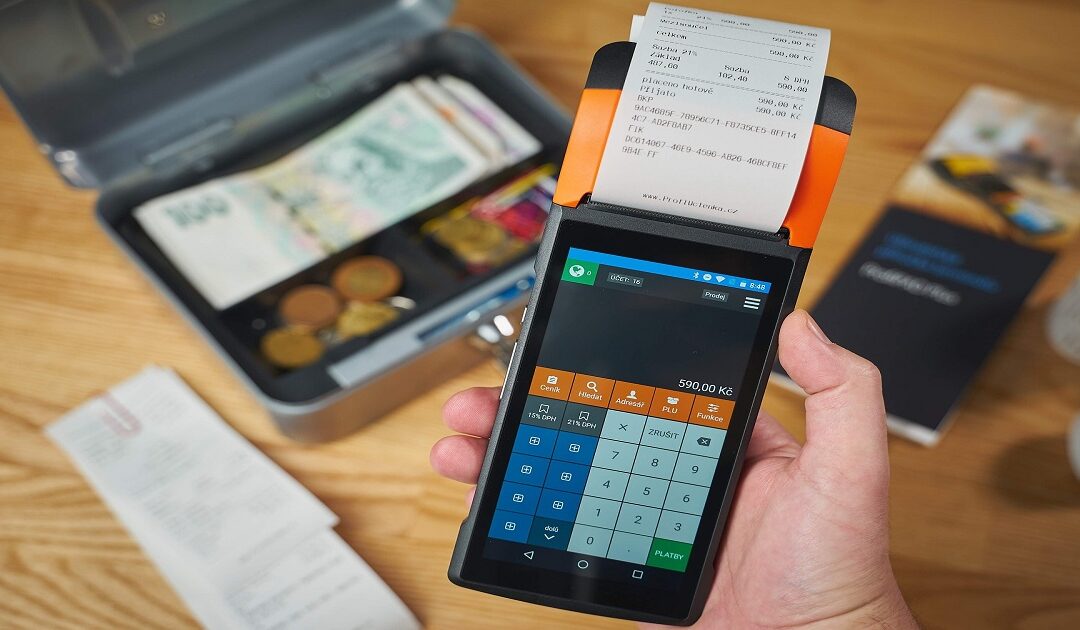
Best MTD Software for Sole Traders: Matching the Tool to Your Trade
By Marina Jahan · Reviewed by Shamayun Chowdhury, CIMA · Tax year 2026/27 · Last reviewed [20 September 2026]
A plasterer, an online candle seller and a freelance copywriter all type the same question into Google, and all three are handed the same “top pick”. Yet their working weeks have almost nothing in common. One lives in a van and collects receipts from builders’ merchants. One is paid through a marketplace that sends a single lump sum a fortnight. One sends six invoices a month and chases two of them.
Software that suits one of them can be a daily irritation for the other two. That is why this guide starts with your trade, not with a brand.
Quick answer
The best MTD software for sole traders in the UK is the HMRC-recognised product that covers every income source you have, sends both your quarterly updates and your year-end tax return, and fits the way your trade actually runs. Tradespeople need mileage and receipt capture, online sellers need marketplace imports, and consultants need invoicing. For one simple trade, a free tier or the tool built into your business bank account is often enough.
Our position
MTDFix is an accountancy practice. We sell no software and take no commission from any provider, so nothing on this page earns us a penny. We name platforms only where they help explain a point, and no provider has paid to appear here.
Five jobs any making tax digital software for self-employed use must handle
Strip the marketing away and any making tax digital software for self employed use has five jobs. Miss one, and you end up paying for a second product or an accountant to fill the gap.
- Record every sale. Invoices raised, card payments, cash jobs, platform payouts, each with a date and an amount.
- Record and sort every cost. Materials, fuel, phone, insurance, tools, each put in a category that lines up with the self-employment section of your tax return.
- Submit each quarterly update. Totals only, sent by 7 August, 7 November, 7 February and 7 May.
- File the year-end tax return. This is where your other income, allowances and final adjustments go, by 31 January.
- Show you what you owe. A running estimate of the tax building up, so January holds no surprises.
Any recognised product can do the third job. The real differences between making tax digital self employed software packages sit in the first, second and fifth, which are the jobs you face every week rather than four times a year.
Why a sole trader’s needs are not a company’s needs
Software written for limited companies often gets sole-trader basics slightly wrong, or buries them. Five points decide whether a product has been built with you in mind.
Cash basis by default. Since 2024/25 most sole traders are on the cash basis automatically, which means income counts when the money arrives, not when you send the invoice. A product that insists on invoice-date accounting makes more work for you. Check it handles cash basis cleanly, and switches to accruals only if you choose to.
Money in versus invoices out. An unpaid invoice in March is not income for that quarter on the cash basis. Good software keeps the two lists apart and tells you which is which.
Mileage. Many sole traders claim simplified mileage instead of real vehicle costs: 45p a mile for the first 10,000 business miles in a car or van, then 25p. A mileage log that records trips as you drive them saves hours of reconstruction later.
CIS. Construction subcontractors are paid after a deduction. The software must record the gross amount as income and keep the deduction separate, so it can be set against your tax bill at the year end. Record the net figure by mistake and both your threshold and your tax go wrong.
The van question. Buying a van is a capital item, not an everyday cost, and repairs to it are the reverse. Products with clear categories stop the two being mixed up, which is one of the most common errors we correct.
Sole trader MTD software when you run more than one trade
Plenty of self-employed people have two strings to their bow: a driver who does weekend gardening, a hairdresser who also sells hair products online, an electrician who teaches an evening class on a freelance basis. HMRC treats each of those as a separate self-employment, and under Making Tax Digital each one sends its own quarterly update.
The deadlines do not multiply. Every update is due on the same four dates, so two trades mean two submissions on 7 August, not two different calendars. What does multiply is the admin, and this is where making tax digital software for sole trader use needs checking before you pay.
Three questions to put to any product:
- Can one account hold several businesses, or do you need a second subscription for the second trade?
- Does the free tier stop at one business? Several do, which quietly turns a free product into a paid one the day you start a side line.
- Can you move a transaction from one trade to the other after you have recorded it? Mistakes happen, and fixing them should take seconds.
If you also let property, remember that all your UK lettings count as one property business, and any property abroad as one more. So a sole trader with two trades and a buy-to-let in Leeds is looking at three quarterly updates on each date, not four.
Illustrative example
Tomasz drives for a parcel firm on a self-employed basis and runs a small gardening round at weekends. His gardening income alone is modest, but both trades go on his tax return and both count towards the threshold. His software needs two businesses in one place, a mileage log that can split trips between them, and a single year-end return that brings everything together. Figures and circumstances are invented to explain the point.
One business or two?
Not every extra job is a second trade. Selling a few items you no longer need is not trading at all, and a closely related activity, such as a decorator who also does small plastering jobs, is normally one trade with two kinds of work. When in doubt, get a view before creating a second business in the software. Merging two sets of records after the event takes far longer than one decision up front.
Matching your trade to the best making tax digital software for sole traders
There is no single winner, but there is usually a clear type of product for each kind of trade. Here is what tends to matter most, and what to test on a free trial before you commit.
Tradespeople: builders, electricians, plumbers, decorators
Your week happens on site and in the van, so the phone app matters more than for most. Look for receipt capture that reads a supplier’s paper receipt clearly, a mileage log that runs in the background, and categories that separate materials from tools and tools from the van itself. If you work under CIS, gross-and-deduction recording is essential, not optional.
What to test: photograph five crumpled builders’ merchant receipts and see how many the product reads correctly.
Online sellers: Etsy, eBay, Amazon, your own shop
Marketplaces pay you a net sum after taking fees, but your income is the full sale price and the fees are a cost. Software that imports marketplace data, or at least your payment processor’s statements, saves you working backwards from every payout.
Worth knowing: since January 2024, UK digital platforms have had to report sellers’ income to HMRC each year. Your figures and the platform’s figures will be compared, so accurate gross sales matter more than ever.
What to test: import one month of payouts and check the software shows gross sales and fees separately.
Consultants, freelancers and creatives
Invoicing is the centre of your business. Choose a product that raises professional invoices, sends reminders, and records the payment against the invoice when it lands. Time tracking earns its place if you bill by the hour.
What to test: raise an invoice, mark it part-paid, and see whether the quarterly figures pick up only the money received.
Drivers, riders and gig workers
Your income arrives as platform statements, often weekly, with the platform’s service fee already taken off. As with online sellers, the gross fare is your income and the fee is a cost. Mileage is usually your largest claim, so a reliable automatic log matters more than invoicing, which you will rarely use.
What to test: whether the product can split personal and business miles on the same journey log.
Part-timers with a job as well
If you are employed and self-employed on the side, your wages stay in PAYE and play no part in the quarterly updates. What you need is the simplest product that handles the trade and then lets you add employment income on the tax return. Anything more elaborate is money spent on features you will never open.
Which is the best software for making tax digital sole trader work, then?
The product that makes your most frequent job fastest. For a tradesperson that is receipts and mileage, for a seller it is imports, for a consultant it is invoicing. Everything else is secondary, and every recognised product can send the update itself.

The hidden conditions on free MTD software for sole traders
Compliance itself carries no price tag. Several recognised products cost nothing, and for one straightforward trade that can be all you need. The catch is that free products are free for a reason, and the reason usually shows up later in the year. There are three main routes.
The tool inside your business bank account
A growing number of business banks now build Making Tax Digital into the account itself: transactions are sorted as they arrive and the quarterly update is sent from the banking app. Some traditional banks go a different way and include a full accounting product with the account at no extra cost.
The trade-off is lock-in. Your records live with your bank. Change banks and you may have to move a year of bookkeeping with you, or start again. Check whether the MTD feature is included on your account tier or charged on top, and whether you can export your records if you leave.
Free tiers from software providers
Some providers offer a permanently free plan for sole traders. Read the small print for four limits we see repeatedly:
- Only for traders who are not VAT registered
- One business only, with a second trade needing a paid plan
- No bank feed, so every transaction is typed in by hand
- Quarterly updates only, with the year-end tax return on a paid tier
None of these makes a free plan a bad choice. They make it a choice with conditions, and it is far better to know them in May than in January.
Bridging software for spreadsheet keepers
If a spreadsheet already works for you, a bridging tool connects it to HMRC and changes nothing else. Some are free for a single business, others charge a small annual fee. Your figures must move from the spreadsheet to the tool digitally; typing totals across by hand breaks the rules. Our guide to bridging software covers how the digital link works.
For a current list of genuinely free products and what each includes, see our guide to free Making Tax Digital software. HMRC’s own software finder also lets you filter for products with a free version.
MTD software for small business: when a sole-trader plan is not enough
“Small business” covers very different set-ups, and each one needs something different from making tax digital software for small business owners. The legal structure decides which parts of Making Tax Digital apply at all.
| Business structure | Which MTD applies | What the software must do |
|---|---|---|
| Sole trader or landlord | Income Tax MTD, plus VAT MTD if registered | Quarterly updates, the year-end return, VAT returns if relevant |
| Limited company | VAT MTD only, if registered | VAT returns; Corporation Tax is filed separately and is outside MTD |
| General partnership | VAT MTD only, if registered; Income Tax MTD has no start date yet | VAT returns; partners report their share on their own returns |
So mtd software for small businesses depends first on what you are, and only then on what you do.
Signs you are outgrowing a sole-trader plan
Sole-trader plans are cheap because they leave things out. You have probably outgrown yours when:
- You register for VAT, voluntarily or because sales pass £90,000 in a rolling twelve months
- You take on an employee and need payroll, which is reported to HMRC through a separate system and is not part of MTD
- You incorporate, at which point the business needs company accounts and a Corporation Tax return, and Income Tax MTD no longer applies to the trade
- Stock, multiple bank accounts or more than a few hundred transactions a month start slowing you down
When that happens, most providers let you upgrade within the same product, which keeps your history. That is worth checking before you choose, because switching products mid-year is where records get lost. For what incorporation changes, see our guide to Making Tax Digital for limited companies.
What makes the best making tax digital software for small business owners?
The same test as for sole traders, with two additions: room to grow without changing product, and accountant access that does not involve sharing your password. A small business rarely stays exactly the same size for long, and mtd small business software that suits you today should still suit you after your first hire or your VAT registration.
Best MTD VAT software for small business sole traders
If you are VAT registered and a sole trader, you are inside two separate MTD regimes at once: VAT returns and Income Tax quarterly updates. The simplest answer is one product that handles both from the same records.
Before you assume your current VAT product covers you, check three things:
- It appears on HMRC’s software list for Income Tax, not only for VAT
- Income Tax quarterly updates are live on your plan, not “coming soon” or on a higher tier
- It supports your VAT scheme, particularly the Flat Rate Scheme, where the VAT you pay HMRC is not the VAT on your invoices
For the VAT side in depth, see our guide to Making Tax Digital VAT software.
Five checks before you subscribe
Trials are short and switching mid-year is a nuisance, so settle these before the first payment leaves your account.
| Check | What to look for |
|---|---|
| Every income source covered | Each trade, UK property and any overseas property marked as ready now in HMRC’s software finder, not in development |
| Quarterly updates and the tax return | Both on your plan. A quarterly-only product leaves January to someone else |
| The price after the offer | Many sole-trader plans start with a discount. Find the full monthly price and when it applies; our guide to Making Tax Digital software cost explains what drives it |
| CIS and mileage | Gross-and-deduction recording if you work in construction, and a mileage log if you drive for work |
| Accountant access and export | A separate login for your accountant, and a way to take your records with you if you leave |
Five mistakes sole traders make with MTD software
Mixing personal and business spending. One card for everything turns every quarter into a sorting exercise. A separate account, even a free one, pays for itself in saved time.
Recording CIS income net. The deduction is tax already paid, not a cost of the job. Record the gross figure or the threshold test and the final bill both come out wrong.
Forgetting the second trade. A small side line still needs its own quarterly update. Leaving it out of the software means an update HMRC is expecting never arrives.
Buying before listing income sources. People choose on brand, then discover their overseas flat or second trade is not supported. List what you have first, then shortlist.
Keeping a spreadsheet with no bridge. A well-kept spreadsheet is fine, but on its own it cannot reach HMRC, and copying totals into a filing tool by hand breaks the digital link rule.
Prefer to hand the software side to someone else?
Some sole traders enjoy doing their own books. Many would rather spend the time on the tools, the road or the next client. If that is you, an accountant acting as your HMRC agent can keep your records and send every submission from their own software.
MOST CHOSEN FOR MTD
Making Tax Digital
£15 a month
For sole traders inside MTD
- Recognised software arranged for you
- Bookkeeping done from your receipts and statements
- Each quarterly update filed
- January return prepared and submitted
Self Assessment
£7.50 a month
For sole traders not yet inside MTD
- Annual return completed and filed
- Allowable costs checked
- Help whenever you need it
Hand your Making Tax Digital to us
Send us a line about your trade and a ballpark turnover figure. We will confirm whether MTD applies, which dates you face, and a fixed fee, before any work starts.
Phone: 0116 403 0595 | Email: mtdfix@yahoo.com | Web: mtdfix.com
MTDFix, 6 Egginton Street, Leicester, LE5 5BA · Serving clients across the UK
Questions sole traders ask about choosing MTD software
Does one MTD product suit every sole trader?
It doesn’t. Every recognised product can send a quarterly update, so the difference lies in the everyday jobs: receipts, mileage, invoicing or marketplace imports. Pick whichever product speeds up the task you repeat most often.
Does HMRC supply free software for sole traders?
No. HMRC recognises commercial products but does not make or recommend any. Several providers and business banks do offer free options, which you can filter for in HMRC’s software finder.
Can I carry on with my spreadsheet?
Yes, if you connect it to HMRC with bridging software and your figures move between the two digitally. Retyping totals into another program by hand is not allowed.
Do I need separate software for each trade?
Usually not. Most products hold several self-employments in one account and send a separate update for each. Check whether a free plan limits you to one business.
I am under the threshold. Do I need MTD software yet?
Not until your start date. You can still use recognised software now, and some people join voluntarily to learn the routine before it becomes compulsory. See our page on Making Tax Digital thresholds to check your date.
Can I change software part way through the year?
Yes, but plan it. Quarterly updates build on the figures sent earlier in the year, so export your records from the old product and bring the year-to-date figures into the new one before you file.
Does my accountant need access to my software?
Only if they are going to review or file from it. A product with proper accountant access gives them their own login, so you never have to share your password.
Where to go from here
Finding the best MTD software for sole traders UK-wide comes down to one habit: start with your income sources and your trade, not with a brand. Make sure the product covers every source, files both the quarterly updates and the year-end return, and handles the job you do most often. Check the price after any introductory offer. And if you would rather not run software at all, an accountant can file for you from theirs. For the wider picture, our guide to Making Tax Digital software explains how HMRC’s list works, and our page on Making Tax Digital for sole traders covers the rules themselves.
This page is general guidance for the 2026/27 tax year, not personal tax advice. Product features and prices change; check the current position with the provider and HMRC’s software finder before you choose.
Sources